1
The SoundReplacer Solution
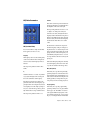
SoundReplacer Parameters
SoundReplacer solves these timing problems by
matching the original timing and dynamics of
the source audio while providing three separate
amplitude zones per audio event. This allows
you to trigger different replacement samples according to performance dynamics.
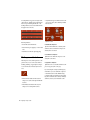
Each replacement sample is assigned its own adjustable amplitude zone. Variations in amplitude within the performance determine which
sample is triggered at a specific time. For example, you could assign a soft snare hit to a low
trigger threshold, a standard snare to a medium
trigger threshold, and a rim shot snare to trigger
only at the highest trigger threshold.
Replacement samples that are triggered in rapid
succession or in close proximity to each other
will overlap naturally—avoiding the abrupt
sound truncation that occurs on many samplers.
In addition to its usefulness in music projects,
SoundReplacer is also an extremely powerful
tool for sound design and post production. Morphing gun shots, changing door slams, or adding a Doppler effect can now be accomplished
in seconds rather than minutes—with samplelevel precision.
Replacement audio events can be written to a
new audio track, or mixed and re-written to the
source audio track. Sample thresholds can be
amplitude-switched between the replacement
samples, or amplitude crossfaded for seamless
transitions.
108
Digidesign Plug-Ins Guide
SoundReplacer
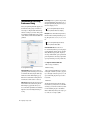
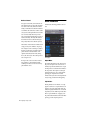
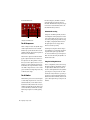
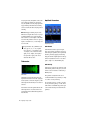
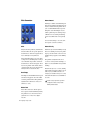
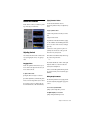
Waveform Display
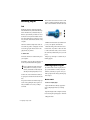
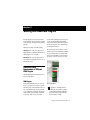
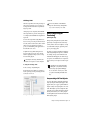
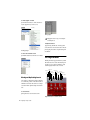
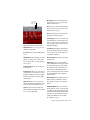
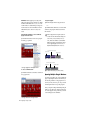
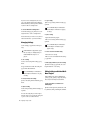
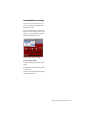
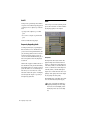
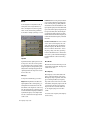
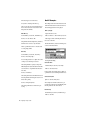
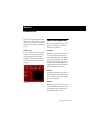
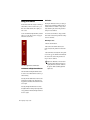
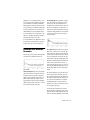
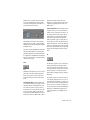
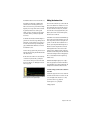
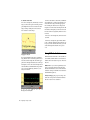
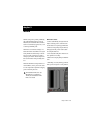
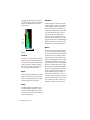
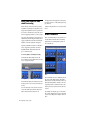
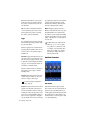
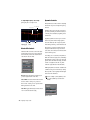
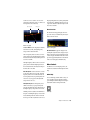
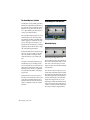
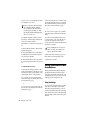
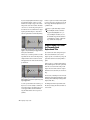
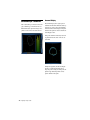
Waveform display with trigger markers shown
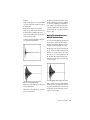
The waveform display shows the audio that you
have selected for replacement. When you select
audio on the source track, then open SoundReplacer, the audio waveform will automatically
be displayed here.
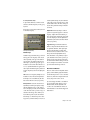
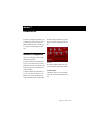
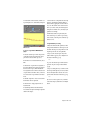
Once the audio selection is displayed, you can
load the desired replacement samples and adjust
their trigger thresholds while viewing the waveform peaks. Trigger markers then appear in the
waveform, indicating the points at which the
samples will be triggered. The color of each
marker indicates which threshold/replacement
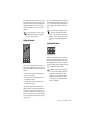
sample will be triggered. The Zoomer allows you
to increase or decrease waveform magnification
here to help accurately set trigger thresholds.