1
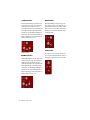
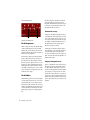
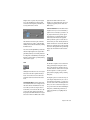
fect the overall reverb density. High settings of
diffusion can be used to enhance percussion.
Use low or moderate settings for clearer and
more natural-sounding vocals and mixes.
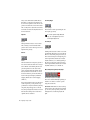
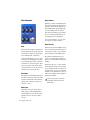
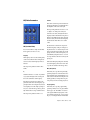
Decay
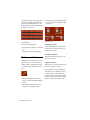
Decay controls the rate at which the reverb decays after the original direct signal stops. The
value of the decay parameter is affected by the
Size and Algorithm parameters. This parameter
can be set to infinity on most algorithms for infinite reverb times.
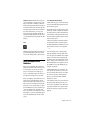
Pre-Delay
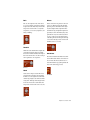
Determines the amount of time that elapses between the original audio event and the onset of
reverberation. Under natural conditions, the
amount of Pre-Delay depends on the size and
construction of the acoustic space, and the relative position of the sound source and the listener. Pre-Delay attempts to duplicate this phenomenon and is used to create a sense of
distance and volume within an acoustic space.
Long Pre-Delay settings place the reverberant
field behind rather than on top of the original
audio signal.
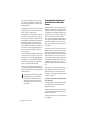
Hi Frequency Cut
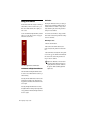
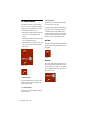
Hi Frequency Cut controls the decay characteristic of the high frequency components of the
reverb. It acts in conjunction with the Low-Pass
Filter control to create the overall high frequency contour of the reverb. When set relatively low, high frequencies decay more quickly
than low frequencies, simulating the effect of air
absorption in a hall. The maximum value of this
parameter is Off (which effectively means bypass).
46
Digidesign Plug-Ins Guide
Low-Pass Filter
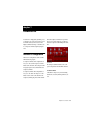
Low-Pass Filter controls the overall high frequency content of the reverb by allowing you to
set the frequency above which a 6 dB per octave
filter attenuates the processed signal. The maximum value of this parameter is Off (which effectively means bypass).
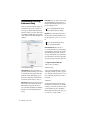
Customizing a Reverb
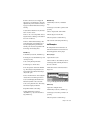
You can create your own custom reverb effects
by adjusting D-Verb parameters and saving the
settings.
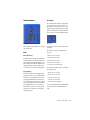
To create a reverb:
1 Choose the type of space you want to create
by listening to D-Verb’s reverb algorithms and
selecting the one that sounds closest to what
you have in mind.
2 Adjust the Size parameter to make the reverb
larger or smaller.
3 Adjust the Decay parameter to fine-tune the
amount of time it takes for the reverb to die
away at the end of a sound.
4 Adjust the Diffusion parameter to control how
echo density increases over time.
5 Adjust the Pre-Delay parameter to control the
amount of time that elapses before reverberation takes place.
6 Adjust the Hi Freq Cut parameter to set the
frequency above which high frequency sounds
decay at a progressively faster rate.
7 Adjust the LP Filter parameter to set the frequency above which the filter attenuates the
processed signal.