1
Er
ics No
so t fo
nM r
ob Com
ile
me
Co
r
mm cial
un Use
ica
tio
ns
AB
Knowing the Call Time/
Call Cost
CALL INFORMATION
The display shows the duration of a call in progress. When you end
the call, the call duration information is shown for another three seconds. If your network and SIM card support this feature, you can
have the call cost (or the number of call units) displayed.
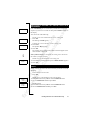
Settings
<
Call info
>
(Time:Outg.)
To select the call information you want
1. Scroll to Settings, Y E S , Call info, Y E S .
2. Select Time: Outg, Time: All or Cost.
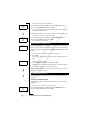
TIME OR COST OF THE LAST CALL
<
Info
Last call
3:40
>
To check the time/cost of the last call
1. Scroll to Info, Y E S , Last call.
2. Depending on the setting in the Call info function in the Settings
menu, you can now check:
• how long your last call was (Time: Outg or Time: All),
• the cost (or the number of call units) of the last call (Cost).
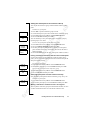
TOTAL CALL TIME OR CALL COST
<
Info
Tot calls
48:16
>
To check the total call time or call cost
1. Scroll to Info, Y E S , Tot calls.
2. Depending on the setting in the Call info function in the Settings
menu, you can check:
• the total time of all outgoing calls (Time: Outg)
• the total time of all calls (Time: All)
• the cost (or the number of call units) of all calls (Cost)
To reset the total call time/cost counter
• Scroll to Info, Y E S , Tot calls, Y E S , Reset?, Y E S .
Note! If you have chosen the call cost option, you must enter your
PIN2 to reset the counter.
58
Knowing the Call Time/Call Cost