1
Er
ics No
so t fo
nM r
ob Com
ile
me
Co
r
mm cial
un Use
ica
tio
ns
AB
Handling More than One
Call Simultaneously
Your phone allows you to handle more than one call simultaneously.
This means that you can put a call that is in progress on hold, while
you make or answer a second call, and then switch between the two
calls.
You may also set up a Conference Call to have a joint conversation
with up to five people. You may put an individual or a group of conference members on hold while you add other people to the conference call. You may also put conference members on hold while you
talk to someone privately. See “Conference Calls” on page 52.
CALL WAITING SERVICE
If you wish to be able to receive a second call, while another call is in
progress, you must activate the Call Waiting service.
Note! The Call Waiting service may not be available in all networks.
To activate the Call Waiting service
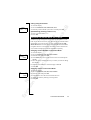
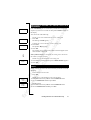
• Scroll to Access, Y E S , Call Waiting, Y E S , Activate, Y E S .
There may be a short delay before the network responds. In the
meantime, the message Please wait is displayed. This is followed by
the message Call Waiting ON.
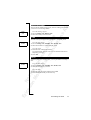
<
Call Waiting
Activate >
<
Call Waiting
Cancel
>
To cancel the Call Waiting service
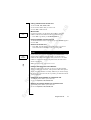
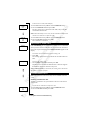
• Scroll to Access, Y E S , Call Waiting, Y E S , Cancel, Y E S .
<
Call Waiting
Get status >
To check whether the Call Waiting service is activated or not
• Scroll to Access, Y E S , Call Waiting, Y E S , Get status, Y E S .
MAKING A SECOND CALL WHILE A CALL IS IN
PROGRESS
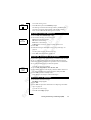
1 on hold
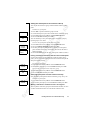
1. Put the current call on hold by pressing Y E S .
2. Enter the number you wish to call and press Y E S
Tip! If the phone number is stored in the phone book, you do not
need to enter it. Press LEFT and then recall the number.
50
Handling More than One Call Simultaneously