1
Er
ics No
so t fo
nM r
ob Com
ile
me
Co
r
mm cial
un Use
ica
tio
ns
AB
Calling from Your Car
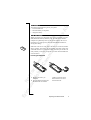
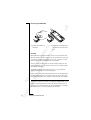
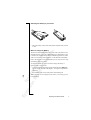
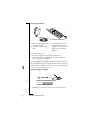
By using the Ericsson portable or vehicle handsfree solutions, you
can be on the phone without using your hands to hold it.
HANDSFREE TYPES
If you use a Vehicle Handsfree Solution, you can choose between two
different ways in which your phone can handle the speech. This is
done in the Handsfree sub-menu.
Handsfree Type 1
Handsfree Type 1 means that the phone handles the call in semiduplex mode. This means that you cannot speak at the same time as
the person at the other end of the line. Use this alternative only if
Type 2 does not work properly.
Handsfree Type 2
Handsfree Type 2 means that the phone handles the call in full duplex
mode. This considerably increases the quality of speech, since you do
not have to wait until it is your turn to speak and the speech becomes
clearer.
For Handsfree Type 2 to work properly, your phone adapts to the
sound environment around the handsfree equipment. This adaptation
might take a few calls. During this learning phase, the person you are
talking to might hear an echo of his or her own voice (because the
sound goes from the speaker into the microphone again). However,
this disappears as the other person speaks. If the echo lasts longer
than the first few calls, try Handsfree Type 1 instead.
Note! More sophisticated Vehicle Handsfree solutions automatically
provide full duplex. They also disable the choice between Handsfree
Type 1 and 2, since the choice becomes superfluous when using this
kind of equipment; you always get the best quality of speech possible.
Setting the Handsfree Type
1. Scroll to Settings, Y E S , Handsfree, Y E S .
2. Select the type you want.
Calling from Your Car
61