1
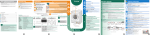
3. Connect power
Connect the cable from the enclosed power supply adapter to
the 10-28 VDC power input on the Ericsson W20.
Connect the power cord to the power supply adapter and then
insert the plug into a mains outlet.
4 . Connect a PC
1-4
Attach the enclosed Ethernet cable to one of the LAN (1-4
1-4)
connectors on the Ericsson W20 and connect the other end to
the Ethernet connector on a PC. This connector is most likely
marked with this symbol:
After power up, allow approximately one minute for start-up before
proceeding to the next step.
2 - BASIC CONFIGURA
TION
CONFIGURATION
1 . Access the Ericsson W20 Web pages
Start a web browser on the PC connected to your Ericsson
W20, type http://192.168.1.1 in the address field, and
press the Enter key. The “User login” page is displayed as
shown on the next page.
NOTE! If this page does not appear, verify that the TCP/IP
settings in the PC are set to “Obtain an IP address
automatically”.
Installation
5