1
INDICA
TORS
INDICATORS
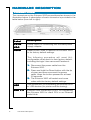
The front panel of the Ericsson W20 has five (5) status indicators. A
general description of each indicator is provided in the table below
(from top to bottom):
Te x t
S t a t u s Description
Power
Green
Unlit
Power is on.
Power is off.
Mobile
Network
Green
Yellow
Flashing
Unlit
UMTS network is available.
GSM network is available.
Searching for a connection.
No connection to the mobile network.
Internet
Green
Unlit
Connection to Internet established.
No Internet connection.
Wireless Green
LAN
Unlit
The Wireless LAN is active.
The Wireless LAN is inactive.
Alarm
Various error conditions specified on the
Ericsson W20 Overview web page.
No error.
Red
Unlit
The four Ethernet LAN connectors (LAN1-LAN4) have two built-in
green indicators each, one indicating link and the other indicating
activity.
Hardware Description
9