1
D
Sound module USM-RC-2
We recommend, to store all sound files for a complete project, in an own separate
folder on your hard disk. This increases the transparency. That’s why the SoundTeacher asks if you save a project, to copy all files to the project directory.
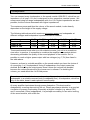
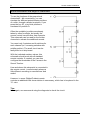
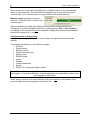
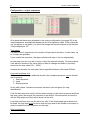
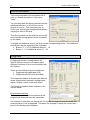
Memory usage indicates how much
memory on the SD card is in use by the
current project.
After all wanted sound files were assigned to their slots and the module was
configured, it is recommended to save the complete project (File Æ Save project).
All settings of the sound slots and the complete configuration of the sound module is
stored into a project file (*.usm).
Configuring the sound module
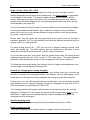
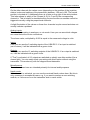
Click on the “configuration“ tab in order to carry out adjustments to the sound
module.
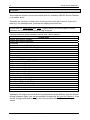
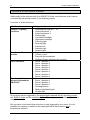
The settings are divided up into different ranges:
• General
• Engine sound
• Random sound
• Proportional channels
• Nautic mode
• EKMFA mode
• Inputs
• Outputs
• Output sequences
• Servos
• SM-IR-16-2 (expansion light module)
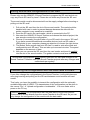
If you alter a value in the configuration, the project files must be transferred to the SD
card again, or the project files have to be transferred by the datacable in order for all
the changes to take effect!
While saving a project, the sound settings of the slots and the configuration of the
sound module are stored together in the project file.
01.03.2012
BEIER-Electronic
51