1
D
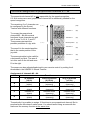
Sound module USM-RC-2
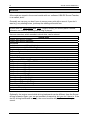
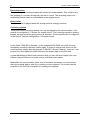
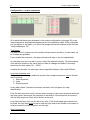
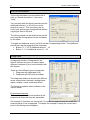
Project folder
Slot name
File
Playback mode
Outputs/Sequences
Volume
Soundlength
Indicates the folder where the sound project is to be saved.
Indicates the name of this slot, i.e. what sort of sound can
be saved here (e.g. engine start sound).
File name of the WAV file which is saved in this slot.
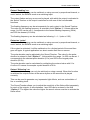
This button is used to load a new sound file into the slot.
Erases the file from the slot.
Plays back the file via the PC’s integral loudspeaker.
At this point you can select the different play-back modes
(see page 31).
Determines which outputs or output sequences are used
when particular sounds are played back.
The volume of every sound can be changed here.
Shows length of the sound.
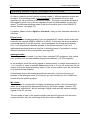
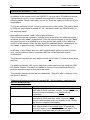
Opening of sound files
The folder „Sounds“on the DVD contains general examples of soundfiles.
The folder „USM-RC-2 Sounds“contains drive sounds from a lot of different vehicles.
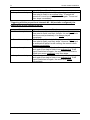
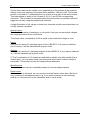
With a click on the
button, the Windows usual “file open dialog” opens, in which
you can select the wanted sound file on your hard disk.
All WAV-files with following properties can be opened:
•
•
•
22,050kHz or 44,100kHz
8 Bit or 16 Bit
Mono or Stereo
The Sound-Teacher always converts the soundfile into the format 44,1 kHz, 16 Bit,
mono. To get optimum sound, the WAV file should be in this format before.
If you want to open a file, which is not in the necessary format, a message appears. If
you still want to use this file, you must first convert it using a suitable program
(e.g. audacity).
50
BEIER-Electronic
01.03.2012