1
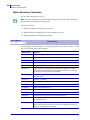
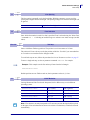
Default Parameter Settings
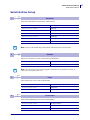
Print Setup
13
0 Default
0 Min
30 Max
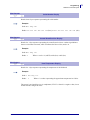
Line Spacing
The line spacing is normally set by the font height. With this parameter you can set a line
spacing that is higher that the font height. Line spacing settings lower than the font height will
be ignored.
<ESC>&P<013><030>
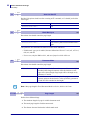
14
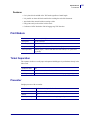
0 Default
0 Min
7 Max
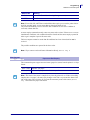
30 pixels or font height, whichever is the largest
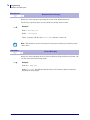
Font Selection
Store which font number is used if no font is specified. Font is selected using the "Select Font
" command ESC ! n. Selecting an invalid font gives a software error status message (invalid
index).
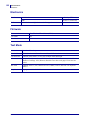
15 to 30
- Default
1 Min
255 Max
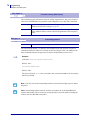
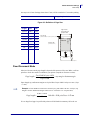
Tab Stop
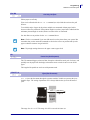
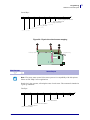
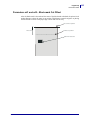
Stores 16 different TAB stop positions. The position is set in increments of 2.5-mm.
Tab position 255 sets a tab stop on the last position of the line. Use this if you want underline
or reversed text to extend across the full paper width.
To set all tab stops at once, follow the procedure Set Several Parameters at Once on page 67.
To move a single tab stop, use the set parameter command <ESC>&P. for example:
Example • This example sets the first tab stop 25 mm from the left margin.
<ESC>&P<015><010>
Default positions are one TAB on each cm; that is parameter values 4, 8, 12 etc.
33
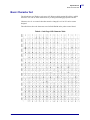
0 Default
0 Min
4 Max
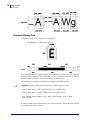
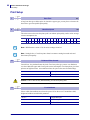
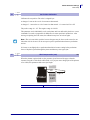
CR/LF Behavior
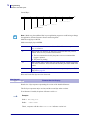
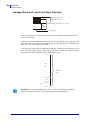
Carriage Return and Line Feed can be interpreted in five different ways to suit different
operating systems.
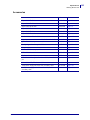
<ESC>&P<033><000>
LF = CR/LF
CR = Ignored
<ESC>&P<033><001>
LF = CR/LF
CR = CR
<ESC>&P<033><002>
LF = LF
CR = CR
<ESC>&P<033><003>
LF = LF
CR = CR/LF
<ESC>&P<033><004>
LF = Ignored
CR = CR/LF
Note • The character currently interpreted as LF converts text from the input buffer to pixels
on the paper. If no such character has been received after 379 characters, a linefeed is inserted
automatically.
10/22/2008
TTP2100 Technical Manual
P1003640-001
89