1
h) Use of the Security Pushbutton
When you have a customized Private Network Name (PPN) for your existing Powerline
Network, you can easily add or remove a Powerline adapter by using the Security
Pushbutton.
A Private Network Name is a string of 8 to 64 characters enables Powerline AV devices
to communicate with each other.
If you intend to create multiple networks, you can assign different Private Network
Names among your devices. You have to, however, make sure that at least two
Powerline AVs have a similar Private Network Name. A Powerline AV that uses a unique
or random Private Network Name will not be able to communicate with other devices.
If you want to add a new Powerline adapter (‘joiner’) to your existing powerline
network:
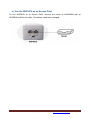
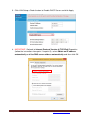
1) Press the Security pushbutton on the ‘joiner’ for less than 3 seconds.
2) Press the Security pushbutton on any network device for less than 3 seconds,
making it the ‘adder’. Please press this pushbutton within 1 minute.
3) Wait for the connection to complete.
(The Power LED indicators on both devices will flash at 1-second interval until the
process succeeds or fails. If the connection is successful, the Power and Data
LED indicators on both devices illuminate steadily. If the connection is failed, the
Power LED indicators on both devices still illuminate steadily, but the Data LED
indicators on both devices go out. In that case please repeat from Step1.)
If you want to remove a new Powerline adapter (‘leaver’) to your existing powerline
network:
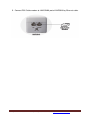
1) Press the Security pushbutton on the ‘leaver’ for more than 10 seconds. The
device will reset and restart with a random NMK.
2) Wait for reset to complete.
(The Power LED indicator on the ‘leaver’ will momentarily extinguish during reset
and flash during restart, then illuminate steadily. The ‘leaver’ is removed from the
existing network successfully.)
Once the process completes, you may disconnect the device from the medium or join it
to another logical network on the same medium.
For any further information on ADDON product, please visit our website: http://www.addon-tech.com
24