1
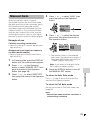
Selecting the 16-bit
Audio Recording
Mode
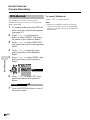
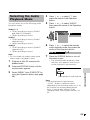
The camcorder normally records audio in
the 12-bit audio recording mode. For higherquality audio recording, select the 16-bit
audio recording mode.
1
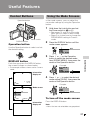
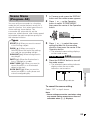
In Camera mode, press the DISPLAY
button until the mode screen appears
(see page 27).
2
Press l or m on the Operation
button to select “MENU”, then press
the centre of the Operation button.
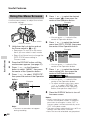
3
Press l or m to select “EXECUTE”,
then press the centre of the Operation
button.
4
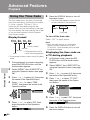
Press l or m to select “AUDIO
MODE”, then press the centre of the
Operation button.
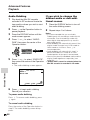
Press l or m to select “16bit”, then
press the centre of the Operation
button.
AUD I O MODE 1 6 bit
7
Press the DISPLAY button to turn off
the menu screen.
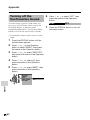
• The 16-bit audio recording mode
indicator only appears when the onscreen indicators are turned on.
TAPE
1 6 bit
16-bit audio recording mode indicator
To return to 12-bit audio recording
mode
Select “12bit” in step 6 above.
Useful Features
5
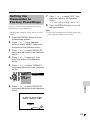
Press l or m to select Y, then
press the centre of the Operation
button.
6
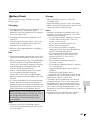
Note:
• When using Audio Dubbing with 16-bit audio
recordings, both the dubbed and original
sounds will be recorded in mono (see page
57).
S E T T I NG 2
DIS
16 : 9
A U D I O MO D E 1 2 bit
1 6 bit
W I ND
R E T URN
41