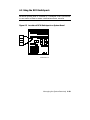
1
²
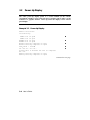
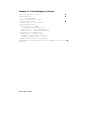
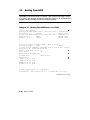
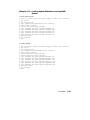
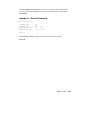
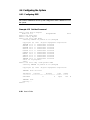
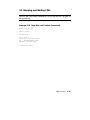
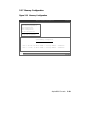
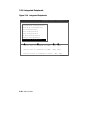
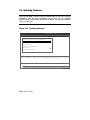
On power-up, the SROM code on each CPU module loads into that module’s Icache and tests the processor chip. If any test fails, power-up terminates.
The primary CPU is determined for the first of three times. The primary CPU
then executes a loopback test on each PCI bridge. If this test passes, the bridge
LED lights. If it fails, the LED remains clear and power-up continues. The
EISA system controller, PCI-to-EISA bridge, COM1 port, and control panel
port are all initialized.
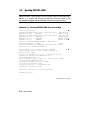
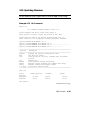
Each CPU prints an SROM message to the device attached to the COM1 port
and to the control panel display. (The banner prints to the COM1 port if the
console environment variable is set to serial. If it is set to graphics, nothing
. See
prints to the console terminal, only to the control panel display, until
Section 4.18 for information about environment variables.)
·
³
´
µ

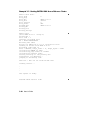
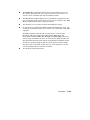
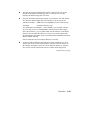
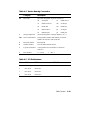
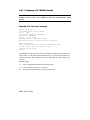
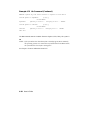
The S-cache on each CPU module is initialized, and the XSROM code in the
system FEPROM is unloaded into them. (If the unload is not successful, the
SROM unloads XSROM code from a different FEPROM sector. If the second
try fails, the CPU hangs.) Each CPU starts the XSROM code, which prints an
XSROM message to the COM1 port and to the control panel display.
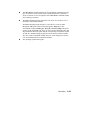
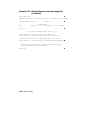
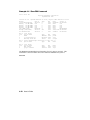
The three S-cache banks on each CPU are enabled, and the B-cache is tested.
If a failure occurs, a message is printed to the COM1 port and to the control
panel display immediately. Each CPU prints a B-cache completion message to
COM1.
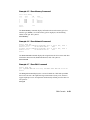
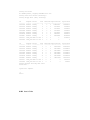
The primary CPU is determined for the second time. It then sizes memory.
Information on memory DIMMs is printed to the COM1 port. If an illegal
memory configuration is detected, a warning message is printed to the COM1
port and the control panel display.
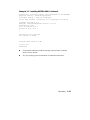
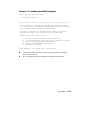
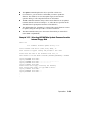
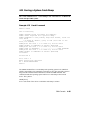
Memory is initialized and tested, and test traces are printed to the COM1 port
and the control panel display. The numbers for tests 20 and 21 might appear
interspersed; this is normal behavior. Test 24 can take several minutes if the
memory is very large; the message preceding the test 24 trace indicates an
estimate of the time this test will take. If a failure occurs, a message is printed
to the COM1 port and to the control panel display immediately. Each CPU
prints a test completion message to the COM1 port.
Continued on next page
Operation
3-5