1
LU eircom 8000_8000A.book Page 22 Jeudi, 12. novembre 2009 12:01 12
Settings
Advanced settings / Handset settings
•
To keep the preference, press Valid.
Registering a new handset to a base
•
To modify the preference, press Edit
. Select
the priority base (the automatic avoids having to
Take the handset to be registered:
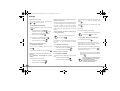
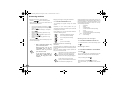
Go to SETTINGS / ADVANCED SET. / SET HANDSET
/ REGISTRATION.
specify a priority), press Valid.
Enter the base code. Press Valid.
.
.
to put the handset in registration mode.
The handset enters the registration mode.
On the base:
press on the
button on the base for a few seconds.
1
The green light blinks rapidly .
The base is in registration mode.
The new handset and the base are mutually searching
for each other. The registration may take several
seconds.
Once the handset is registered, the handset
automatically exits the registration mode and lets you
know the registration is done.
Modifying the base preference
This function enables you to specify which base will be
used by your handset to make calls (if your handset is
registered to several bases).
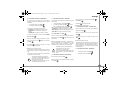
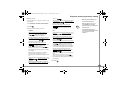
Go to SETTINGS / ADVANCED SET. / SET HANDSET
/ BASE PRIORITY.
An information screen presents the current base
preference for your handset.
1. eircom 8000A base only
22
The handset enters the registration mode, "HANDSET
IN REGISTR. MODE" is displayed on the screen.
Put the base to which you want to register the handset
in registration mode following the procedure described
in the ’On the base’ paragraph, below.
Resetting the handset
Press Yes
When you reset your handset, all the parameters are
reset to their initial value (factory settings) with the
exception of the phonebook, alarms (birthdays and
organiser) and SMS parameters and security functions.
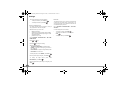
Go to SETTINGS / ADVANCED SET. / SET HANDSET
/ RESET HANDSET.
Once the handset is registered, select the required
handset number. Press Valid.
Press on the
button on the base for a few seconds.
The green light blinks rapidly 2.
•
•
The base is in registration mode.
To re-initialise your handset, press Yes
.
If you do not wish to re-initialise your handset,
The new handset and the base are mutually searching
for each other. The registration may take several
seconds.
.
Personal registering
Once the handset is registered, the handset
automatically exits the registration mode and lets you
know the registration is done.
To register a handset in the following cases:
•
the base’s code is no longer 0000 (you have
customised the code),
•
you own several bases,
•
you want to choose a name for your base,
•
you want to choose the handset registration
number.
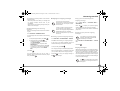
Go to SETTINGS / ADVANCED SET. / SET HANDSET
/ PERSON. REGISTR.
Select the required base number. Press Valid.
.
Delete the current base name (if necessary).
Enter the new name, press Valid.
.
.
On the base:
A confirmation screen will prompt you to confirm your
request:
press No
.
2. eircom 8000A base only