1
5-10
Note:
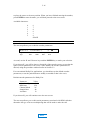
The list of available countries continues to grow as the ISDN unit continues to gain government
approvals. If your country is not listed, please contact Dolby Laboratories.
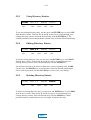
5.3.3
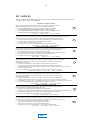
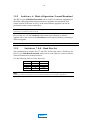
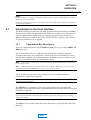
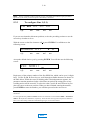
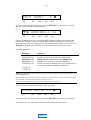
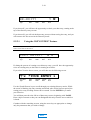
To configure Line 1 (L1)
SW L1 L2 L3 L4
Algorithm
Type
Data
Rate
Channel
Mode
Sample
Rate
Aux
Rate
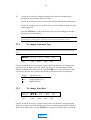
If you are not situated at this menu position, review the preceding sections or use the
cursor keys in order to do so.
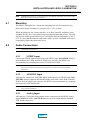
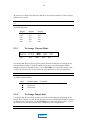
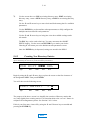
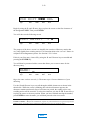
With the cursor on the first character of L1, press ENTER. You will then see the
following screen:
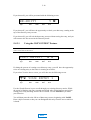
ENABLE L1?
Algorithm
Type
Data
Rate
Channel
Mode
Y N
Sample
Rate
Aux
Rate
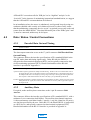
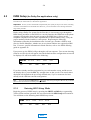
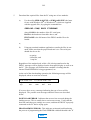
Accept the default choice (yes) by pressing ENTER. You will then see the following
screen:
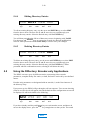
PRI NUM1: _
Algorithm
Type
Data
Rate
Channel
Mode
Sample
Rate
Aux
Rate
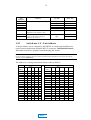
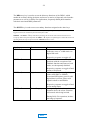
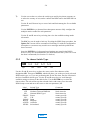
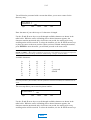
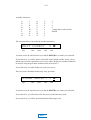
Begin entry of the primary number of the first ISDN line, which can be up to 18 digits
long: Use the Ç and È arrow keys to scroll through available characters as shown in
the table below. While the cursor is blinking after a desired parameter appears, the
parameter remains unselected; after a brief time-out period, the setting prior to any
scrolling action will be restored. To select the value, use the Å and Æ arrow keys to
place the cursor to the next position. When you have finished entering the number,
press ENTER to store the number; you will then proceed to the next screen.
Notes: Spaces can be used to make the phone number more readable, as long as the 18 digit limit is
maintained.
To assist with data entry, Insert and Delete functions are available, accessed with the SHIFT + ENTER and
SHIFT + È keystroke combinations, respectively. These functions act in typical word processor fashion to
allow you to edit a string of characters without having to type over erroneous entries.
MAIN