1
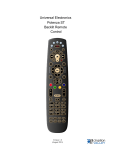
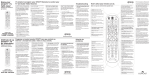
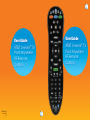
Congratulations on your new AT&T U-verse TV Point Anywhere RF
Remote Control. The remote, with the USB converter, eliminates the
need to point your remote control at the AT&T U-verse Receiver in
order to change channels or access any of the receiver’s features. This
universal remote control allows you to control up to three additional
devices, such as a TV, DVD player, or audio device. It even has the
ability to “learn” commands from existing remote controls.
NOTE: The Point Anywhere RF Remote Control only controls the AT&T U-verse
Receiver using RF (radio frequency) technology. All other devices are controlled
with IR (infrared) signals.
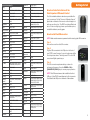
Table of contents:
Getting started
Activate batteries...................................................................... 3
Install USB converter................................................................ 3
Program your remote
For popular brands...................................................................... 4
Using auto search.........................................................................5
Using manual setup.................................................................... 6
Using the learning feature.........................................................7
Remote features
Low battery indicator................................................................. 8
Disable backlighting................................................................... 9
Set USB converter Home ID.................................................... 9
Optional advanced functions
Power Macro............................................................................10
Disable RF.................................................................................. 11
Volume control....................................................................... 12
Channel lock............................................................................ 13
Blu-Ray/DVD Cont’d
20623
Samsung
20199, 20573, 21075, 21573,
22113, 22269, 21470, 22369,
22329, 22489, 22556, 23492,
21044, 20490
FCC ID Numbers:
RF Remote Control - CAC3033
USB Converter - CAC3000
Sanyo
20670
Schneider
20646
Sensory Science
21158
Sharp
22250, 20630, 20675
Sherwood
23052, 21043, 23837, 23925
Sonic Blue
20869
Sony
21516, 21633, 21033, 20864,
21070, 20772
SV2000
20675
This device complies with Part 15 of the FCC
Rules. Operation is subject to the following
two conditions:
1. This device may not cause harmful
interference, and
2. This device must accept any interference
received, including interference that may cause
undesired operation.
Privacy of communications may not be ensured
when using the AT&T U-verse® TV Point Anywhere
RF Remote Control.
Sylvania
20675
Symphonic
20675
Teac
20790
Technics
20490, 20703
Toshiba
22705, 22277, 23157, 23857,
20503, 22364, 22006, 21510,
21769
TruTech
20675
Urban Concepts
20503
Venturer
20790
Viore
22553
VIZIO
22563
WB Electronics
22555
Xbox
22083, 22627, 20522
Yamaha
22298, 20497, 23837, 20539,
20545, 20490, 21354, 20646,
21416
Zenith
20741, 20869, 20503
Learn your remote control................................14
Troubleshooting..................................................15
2
FCC Requirements
Rotel
Video—VCR
Product specifications.......................................15
DirecTV
20739
Programming codes...........................................16
Humax
20739
FCC Requirements............................................ 23
Philips
20739
RCN
20739
TiVo
20739
Note: This equipment has been tested and
found to comply with the limits for a Class B
digital device, pursuant to Part 15 of the FCC
Rules. These limits are designed to provide
reasonable protection against harmful
interference in a residential installation. This
equipment generates, uses, and can radiate radio
frequency energy and, if not installed and used
in accordance with the instructions, may cause
harmful interference to radio communications.
However, there is no guarantee that interference
will not occur in a particular installation. If this
equipment does cause harmful interference
to radio and television reception, which can be
determined by turning the equipment off and
on, the user is encouraged to try and correct
the interference by one or more of the following
measures:
1. Reorient or relocate the receiving antenna.
2. Increase the separation between the
equipment and receiver.
3. Connect the equipment into an outlet on a
circuit different from that to which the receiver is
connected.
4. Consult the dealer or experienced radio/TV
technician for help.
Warning: Changes or modifications to this unit
not expressly approved by the party responsible
for compliance could void the user’s authority
to operate the equipment.
23