1
ElitePro Setup Guide
Using Drive Assigner
If Your Unit is trying to use CD/DVD Recorders on your PC, try the following:
Due to the fact that DiscJuggler is an open platform that looks at the entire PC system for
writers, it can sometimes try to assign your PC’s internal writer to the autoloader.
Follow this procedure to eliminate this occurrence:
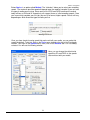
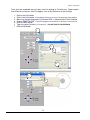
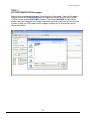
Select Start, All Programs, Padus DiscJuggler, and click on Drive Assigner. DiscJuggler
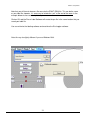
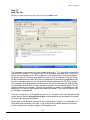
will review the system and display the devices that it has located. Select the writers that are
located in the autoloader unit by clicking on the boxes beside the drives. Also, select the
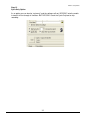
appropriate printing port for DiscJuggler to use when printing CD labels. Click on Update
and then OK when finished with your selection. This process will assign only the recorders of
the autoloader to DiscJuggler and will set which port the software uses to communicate with
your CD printer. The assignment will remain set unless you run the Drive Assigner and change
your settings.
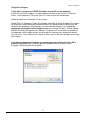
If you have an Autograph VI and get an error message and cannot print after a CD is
placed in the printer, please read the above paragraph for details on how to select
the proper USB printing port for the printer.
27