1
4.
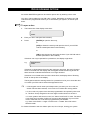
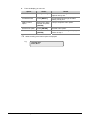
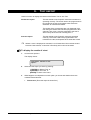
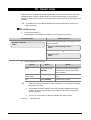
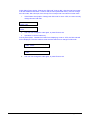
The display shows:
There Are No Alarms In This Area
Code:
Fix the problem (e.g. close the door).
Re-alarming: If your system has been programmed to remind you about alarms, it
will automatically re-alarm after a preset time unless the cause has been fixed, no
matter how many times you acknowledge the alarm.
When a re-alarm does occur, the letter preceding the zone number will not be
shown.
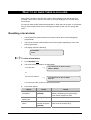
Resetting a zone in alarm
•
The LED of the area in alarm flashes red on the keypad.
•
The sirens are active (if programmed),
•
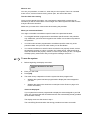
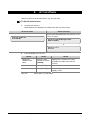
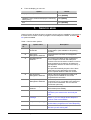
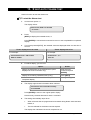
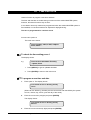
When an alarm occurs, the display There Are No Alarms In This Area disappears
from the top line. Instead you see:
Code:
Zones in Tamper Alarm are displayed with a T in front of the zone number.
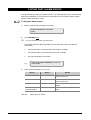
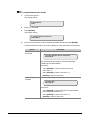
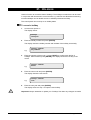
To reset a zone in alarm
1.
Enter your PIN code.
2.
Press [OFF].
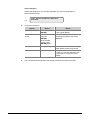
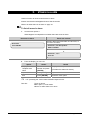
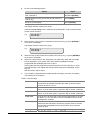
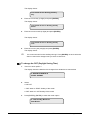
The display shows.
0- All 1, Area One 2, Area Two 3, Area three
Enter Area:
3.
Enter the area number of the zone in alarm (flashing LED) and press [ENTER].
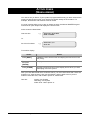
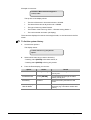
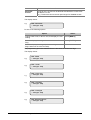
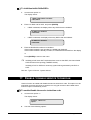
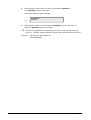
The display shows:
There are no alarms in this area
Code:
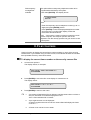
4.
Determine where the alarm occurred by reviewing the quick alarm history (page 21).
5.
Fix the problem.
Further information about alarms
•
If the alarm conditions are no longer valid, and the alarm has been reset, you must
contact your central station company to ensure that they take no further action.
ATS2000/3000/4000/4500 Manager’s Guide
19