1
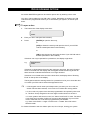
10. INHIBIT ZONE
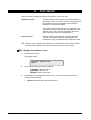
Use this function to inhibit zones and exclude them from the security system. A zone is
inhibited when it is faulty or broken (that is, it is active). By inhibiting it, you prevent it
causing an alarm until it is fixed. You can also inhibit normal zones if you know their zone
number.
An inhibited zone is by default inhibited only until the next disarm of the area to
which it belongs.
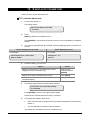
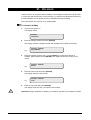
To inhibit a zone
1.
Access menu option 10.
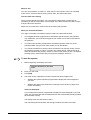
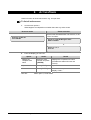
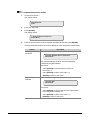
What happens next depends on whether or not there are active zones.
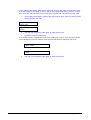
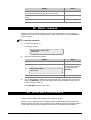
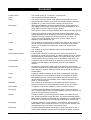
No active zones
Zones are active
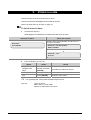
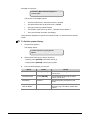
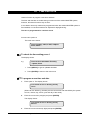
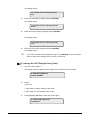
Active zones are listed either one at a time, or as
a list of numbers:
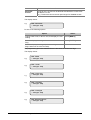
All Zones are Normal
Inhibit:
Active On 4, PIR In Managers Office
Inhibit :
or
Active On 1, 2, 4.
Inhibit:
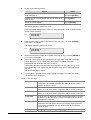
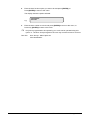
2.
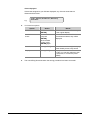
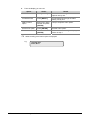
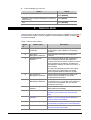
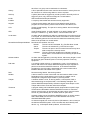
From the display you can now:
Option
Action
Result
Inhibit the selected
zone
Enter the zone
number and press
[ENTER]
Inhibits the selected zone (this
removes the zone from the display
and replaces it with the next active
zone in the list).
Update the list of
active zones
Press [NEXT]
Updates the list of active zones (if
any).
Exit
Press [ENTER]
Exits the menu option.
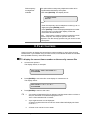
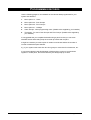
1.
If the active zones are shown as a list of numbers, it is not possible to display
the name of the zone.
2.
If an attempt is made to inhibit a zone that is already inhibited, the request
appears as if it is processed but it is not logged in the history and the zone
remains inhibited.
3.
As soon as a zone that is in alarm is inhibited, the alarm is reset.
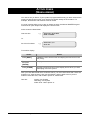
See also:
Uninhibit zone
ATS2000/3000/4000/4500 Manager’s Guide
35