1
5-136
Bosch Rexroth AG | Electric Drives and Controls
Rexroth VCP-Operating Concept | R911305038 / 01
Standard Mode
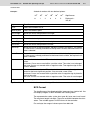
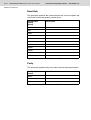
Master Password
During programming, we advise you to ensure that at least one password, a master password, has the highest authorization level. The first
password entered in the programming system is of particular significance as a master password. Unlike all other passwords, the master
password cannot be changed in the operating device. It also allows you
to reset all changed passwords to the standard values entered in the
programming software.
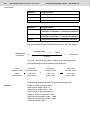
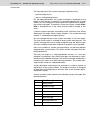
Example for using access
levels:
Access level for mask 5 = 10
Access level for mask 6 = 20
Access level for mask 7 = 30
Password 4712 has the edit level = 15 and the view level = 25
The following accesses are possible after the password 4712 has been
entered:
– Mask 5 will be displayed, editing of values is authorized.
– Mask 6 will be displayed, editing of values is not authorized.
– Mask 7 will not be displayed, editing of values is not authorized.
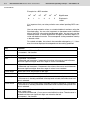
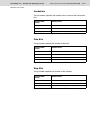
Start-up mask
The access level for the start-up mask is always 0.
Setup mask
The setup mask is an exception with regards to the password and
external data release functions. Since no communication is taking
place when the setup mask is displayed, the external data release
function is not applicable.
To restrict access, passwords must be used!
By defining the die system variable MskchgPasswd as the first editable variable in the setup mask, all further variables can be protected
against unauthorized access. The view level does not apply when
accessing the setup mask. Viewing is always permitted if a value less
than or equal to 254 is selected for the access level of the setup mask.
The edit level for all variables of the setup mask, with the exception of
the system variable MskchgPasswd, is the same as that defined as
the access level.
Access to the mask is always denied if an access level of 255 is
defined for the setup mask. This means that the setup mask will no
longer be displayed during initialization of the operating device and can
therefore not be selected. However, all device-specific parameters can
also be edited in any other mask. The new parameters become effective by restarting the operating device or with the system variable Boot.
5.17.1
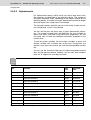
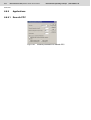
Password Management
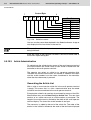
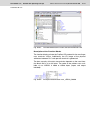
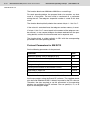
In the password management function of the programming software,
you can define up to eight different passwords, each with a length of 11