1
5-180
Bosch Rexroth AG | Electric Drives and Controls
Rexroth VCP-Operating Concept | R911305038 / 01
Standard Mode
5.23.2.2
Selecting a Data Set
Data sets can be assigned both a number from 1 to 250 and a name.
You assign the data set numbers and names when the data sets are
created, in other words either when programming is carried out for the
data sets stored in the Flash memory or on the operating device in the
case of data sets stored in the RAM. The maximum data set name
length is 15 characters. Data set names need not necessarily be
unique (though it is recommended that they are).
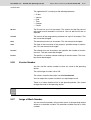
You can select a data set as follows:
• Select a new recipe. The associated data set with the lowest number
is then selected for the new recipe automatically.
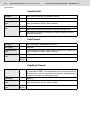
• By means of the system variable SelectDSNr. You can edit this system variable only as a selection text. In this case, only the numbers
of those data sets that are available for the active recipe are displayed.
• By means of the system variable SelectDSName. You can edit the
system variable only as a selection text. In this case, only the names
of those data sets that are available for the active recipe are displayed.
See chapter “SelectDSNr“ on page 5-82.
See chapter “SelectDSName“ on page 5-82.
5.23.2.3
Copying a Data Set
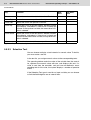
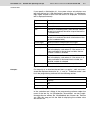
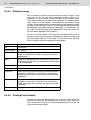
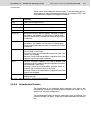
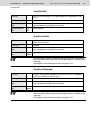
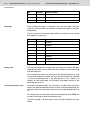
You can only copy the active data set. To do so, write the number of
the destination data set to the system variable DestDSNr and then
write the value 1 to the system variable DSCopy.
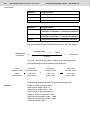
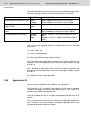
The following conditions must be fulfilled in order for the data set to be
copied successfully:
• The number of the destination data set must be in the range of 1 to
250.
• There must not already be a data set with the same number for the
active recipe (unless DSCopyis set to 3).
• The active data set cannot be edited at the same time.
• There must be enough free RAM on the operating device.
If any of these conditions is not satisfied, the data set is not copied and
a system message is output.
The destination data set becomes the active data set after it has been
copied.