1
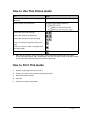
How to Use This Online Guide
To …
Click …
jump to another location within or outside the
document
blue text
jump to a topic in the document
click the corresponding bookmark
jump to the first or the last page
retrace your steps in the document
jump to the previous or to the next page
zoom in and zoom out (control-click) on the
page
search for a part of a word, a complete word
or multiple words
print the document
#
Note: Due to rescaling, some of the screen shots included in this document may appear
unclear when displayed at 100% magnification. You can view these screen shots more clearly
by using the Zoom tool to increase the default magnification.
How to Print This Guide
1
Choose Page Setup from the File menu.
2
Choose your paper format from the Paper popup menu.
3
Select Orientation: Portrait.
4
Click OK.
5
Choose Print from the File menu.
Preface
7