1
MDL-DataManager™ Reference Guide
Architectural Energy Corporation
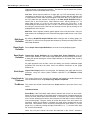
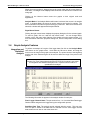
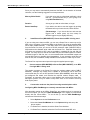
Number of Samples. The number of samples included in the selected region.
Area. The area is derived by integrating under the curve, using the 0 on the Y-axis as
the lower bound. The integration algorithm used is Simpson’s Method. If only a single
data point is selected, the area is undefined.
Min. The minimum Y value for the selected region.
Max. The maximum Y value for the selected region.
Avg. The average Y value for the selected region.
Slope. The slope calculated between the first and the last samples in the region.
Unless the data are very linear, this is relatively meaningless
Std. Dev. The standard deviation of all the samples in the region.
Four buttons are available at the bottom of this screen:
Close. This closes the analysis window. When the analysis window is closed, another
region can be selected and analyzed until the Analyze Graph Data mode is turned off.
This is done by selecting the Analyze Graph Data option in the Analysis menu. When
this option is not checked (off), normal zooming of the graph is enabled once again.
Print. This option allows both the analysis information and the graph to be printed to a
printer.
Copy to Clipboard. This option allows just the text in the analysis window to be
copied to the Clipboard. It can then be pasted to another application.
Help. Displays the help text for this screen.
3.5
View Menu Commands
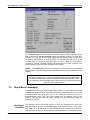
The View menu contains two viewing preferences. One preference is for the Toolbar
that automatically appears at the top of the MDL-DataManager window. By selecting
View-Toolbar, you can remove or replace the checkmark to include or remove the
toolbar from the window. The same actions can be taken to remove or replace the
Status Bar at the bottom of the window. The Status Bar displays the current time and
date as set on the host computer.
3.6
Preferences Menu Commands
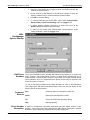
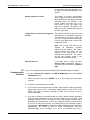
The following preferences can be set from this menu: Options and Edit Module List.
The Options menu includes settings for the following: Comm Port/Modem, Export File
Format, and Units of Measure. These preferences are stored in the file PREF.MDL
and can be changed using this menu. The new preferences will be written to
PREF.MDL and will be used for the current and all future MDL-DataManager
sessions.
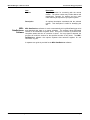
AEC recently enhanced the MicroDataLogger data acquisition system and MDLDataManager software by adding remote access capabilities. Use the Comm
Port/Modem tab listed under the Options menu to integrate MDL-DataManager with
the MDL-DataRetriever software.
Section 3.0 MDL-DataManager™ Software
Page 23