1
4 Reference book (Advanced mode)
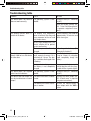
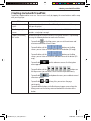
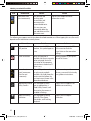
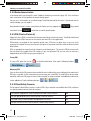
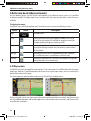
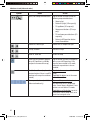
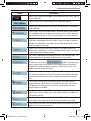
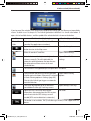
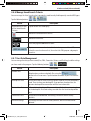
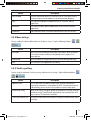
Symbol
Name
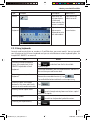
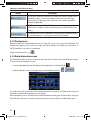
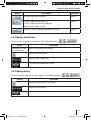
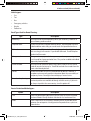
Open/Close Map control buttons
Action
Tap this button to show or hide the
following map control buttons:
•
Zoom in/out
•
Rotate left/right (3D map only)
•
Tilt up/down (3D map only)
•
Zoom preset buttons (2D map
only)
•
Tilt and zoom preset buttons (3D
map only)
•
Return to GPS position button
•
Smart Zoom button
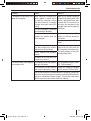
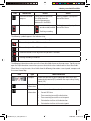
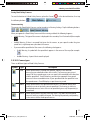
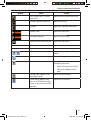
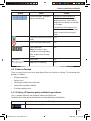
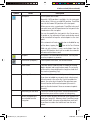
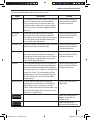
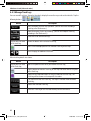
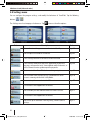
Rotate left, rotate right
Rotates the 3D map left or right
Tilt up, tilt down
Tilts the 3D map
Zoom in, zoom out
Scales the map
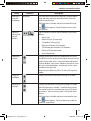
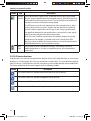
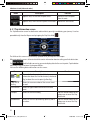
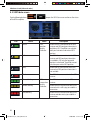
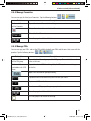
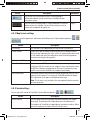
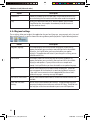
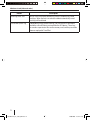
Return to GPS position (appears
when GPS position is available
and you have moved the map)
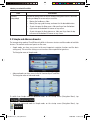
Tap this button to move the map back
to the current GPS position. If the
map has been rotated in 3D mode,
automatic map rotation is also reenabled.
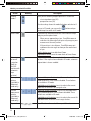
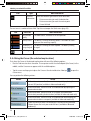
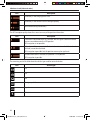
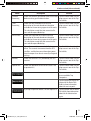
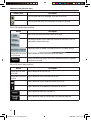
Enable Smart Zoom (replaces the
previous button if there is no GPS
position or the map has not been
moved)
Tap this button once to enable Smart
Zoom.
,
,
,
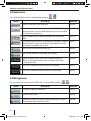
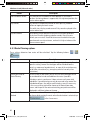
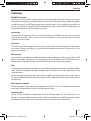
Tap&hold the button to set the zoom
limits of Smart Zoom.
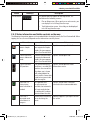
Zoom preset buttons (available in Tap one of the preset buttons to set
Advanced mode only)
the zoom level to a fix, predefined
value. Smart Zoom is disabled. These
buttons are available in 2D mode.
Tap&hold any of the buttons to set its
value to the current zoom level, or to
reset it to its original value.
42
NaviManual_iGo_India_GB.indd 42
20.08.2008 15:47:08 Uhr