1
128 CHAPTER 8
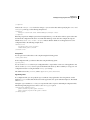
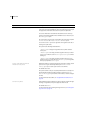
By default, Flex Builder exposes the compilation options through the project properties. If you want to use a
configuration file, you can create your own and pass it to the compiler by using the load-config option. For more
information on setting compiler options with configuration files, see “About configuration files” on page 134.
In addition to generating SWF files, the Flex Builder compiler also generates an HTML wrapper that you can use
when you deploy the new Flex application. The HTML wrapper includes the <object> and <embed> tags that
reference the new SWF file, as well as scripts that support history management and player version detection. For
more information about the HTML wrapper, see “Creating a Wrapper” on page 311.
The Flex Builder application compiler uses incremental compilation by default. For more information on incremental compilation, see “About incremental compilation” on page 157.
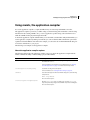
Using the mxmlc application compiler
You use the mxmlc command-line compiler to create SWF files from MXML, AS, and other source files. You can
open it as a shell script and executable file for use on Windows and UNIX systems. You use this compiler to
precompile Flex applications that you deploy later.
The command-line compiler is installed with Flex SDK. It is in the flex_install_dir/bin directory in Flex SDK. The
compiler is also included in the default Flex Builder installation, in the
flex_builder_install_dir/sdks/sdk_version/bin directory.
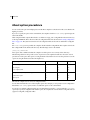
To use the mxmlc utility, you should understand its syntax and how to use configuration files. For more information, see “About the command-line compilers” on page 131.
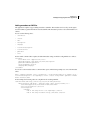
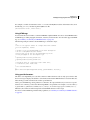
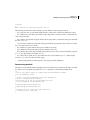
The basic syntax of the mxmlc utility is as follows:
mxmlc [options] target_file
The default option is the target file to compile into a SWF file, and it is required to have a value. If you use a spaceseparated list as part of the options, you can terminate the list with a double hyphen before adding the target file;
for example:
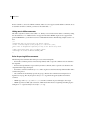
mxmlc -option arg1 arg2 arg3 -- target_file.mxml
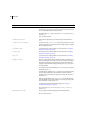
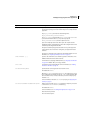
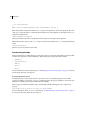
To see a list of options for mxmlc, you can use the help list option, as the following example shows:
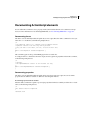
mxmlc -help list
To see a list of all options available for mxmlc, including advanced options, you use the following command:
mxmlc -help list advanced
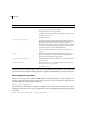
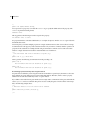
The default output of mxmlc is filename.swf, where filename is the name of the root application file. The default
output location is in the same directory as the target, unless you specify an output file and location with the
output option.