1
24
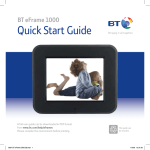
Using your BT eFrame 1000
To download photos from your
computer, see page 16.
To view photos from Flickr™ see
page 18.
Display photos from a memory card or camera
Your BT eFrame 1000 takes SD, MMC, MS Pro and CF memory cards
1. Insert your memory card into
the correct slot at the side of
your frame.
Memory card slots
Or
Connect the USB cable
between your camera
and the frame.
The screen shows LOADING…
USB port
If you experience any problems, please call the Helpline on 0808 100 9889* or email [email protected]