1
38
Settings
4. Scroll
or
to the one you want and press
to begin copying
5. Press
to return to the main menu. After 30 seconds the slide
show will begin.
Settings reset
Settings reset
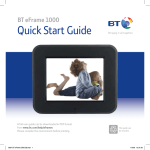
This will reset your BT eFrame 1000 to its original settings.
1. On the remote control, press
2. Scroll
to Settings and press
3. Scroll
or
4. Press
to confirm or
until the main menu is displayed.
.
to Settings Reset and press
to cancel.
Factory reset
Please note a factory reset will
delete all photos and music on your
BT eFrame 1000.
This will permanently delete all photos, music and settings on your
BT eFrame 1000.
1. On the remote control, press
2. Scroll
to Settings and press
3. Scroll
or
4. Press
to confirm or
until the main menu is displayed.
.
to Factory Reset and press
to cancel.
If you experience any problems, please call the Helpline on 0808 100 9889* or email [email protected]