1
ECTACO Partner® PW800
User Manual
On-screen Keyboard
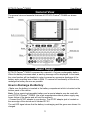
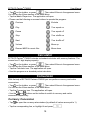
The on-screen keyboard is a set of virtual keys displayed on the screen. This set of
keys simulates the conventional physical keyboard or part of it. The on-screen
keyboard shown below is the most widely used throughout the ECTACO Partner®
PW800 applications.
button on the toolbar to invoke the on• In applications featuring text input, tap the
screen keyboard. To hide it, tap anywhere on the screen outside of the on-screen
keyboard.
to access additional characters.
• When using the on-screen keyboard, tap
Windows
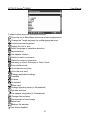
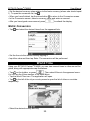
Every application, pop-up menu, or dialog box used in ECTACO Partner® PW800
appears in its own window. A window is displayed as a framed screen area with two
main elements: the title bar and the close button ( or ).
Any window can be closed either by pressing
on the keyboard or by tapping the
close button in the upper-right corner of the window.
• To move an overlapping pop-up window, tap on its title bar and drag the window to
another part of the screen holding the stylus down.
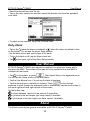
The scroll bar is shown when the contents don't all fit on the screen. The slider shows
the position of the displayed contents relative to the rest of data.
On the scroll bar:
• tap a scroll arrow or to advance or go back one line;
• tap and drag the slider to browse information;
• tap the scroll bar below or above the slider to jump to the corresponding portion of
text.
Toolbar
A toolbar is a set of horizontally arranged buttons shown at the bottom of the
pertaining window.
7