1
File Name
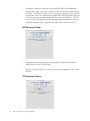
This is the file name to store images.
Method
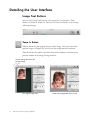
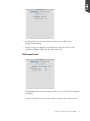
This is where to name your saved file by your preference. There are three
methods to name your file:
•
Date + Suffix - This is the default method the system names the saved files,
using the date when the file is saved and the number together. “00001” is
the default number put after the date and can be modified in the Suffix edit
box below.
Editable
suffix
number box
•
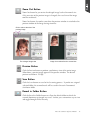
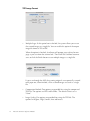
Text + Suffix - This method lets you customize a root file name and put a
number after the name. “Scan” is the default root file name and "00001" is
the default number put after the name. The root file name can be modified
in the CustomText edit box, and the suffix number can be modified in the
Suffix box aside.
Editable
suffix
number box
Editable root file name box
•
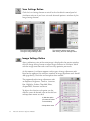
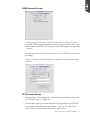
Text - This method lets you customize a root file name. “Scan” is the default
root file name and can be modified in the Custom edit box below.
Editable root file name box
Microtek ScanPotter Reference Manual
23