1
Contents
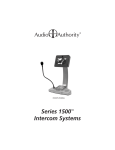
Introducing Series 1500™ Intercom Systems . . . . . . . . . . . . 3
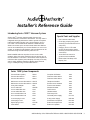
Series 1500 System Components . . . . . . . . . . . . . . . . . . 3
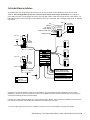
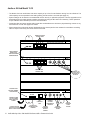
2x4 Audio Installation . . . . . . . . . . . . . . . . . . . . . . . . . 4
2x4 Audio/Video Installation . . . . . . . . . . . . . . . . . . . . . 5
Installing Model 1500AH . . . . . . . . . . . . . . . . . . . . . . . 6
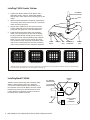
Installing a 1509SD Hub . . . . . . . . . . . . . . . . . . . . . . . 7
Installing a 1510 Hub (1511, 1512, 1513 similar) . . . . . . . . . . 7
Installing Model 1520 Lane Stations . . . . . . . . . . . . . . . . . 8
Using Third Party Traffic Sensors . . . . . . . . . . . . . . . . . . 9
Program Audio/Video Connection . . . . . . . . . . . . . . . . . . 9
Operation . . . . . . . . . . . . . . . . . . . . . . . . . . . . . . 10
Audio or AV Hub Model 1510 . . . . . . . . . . . . . . . . . . . . 12
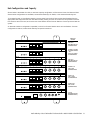
Hub Configurations and Capacity . . . . . . . . . . . . . . . . . . 13
Common Issues . . . . . . . . . . . . . . . . . . . . . . . . . . . 14
Testing the Installation . . . . . . . . . . . . . . . . . . . . . . . . 14
Troubleshooting Tips . . . . . . . . . . . . . . . . . . . . . . . . 14
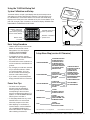
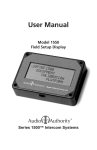
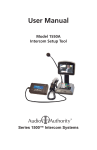
Using the 1550 Field Setup Tool . . . . . . . . . . . . . . . . . . . 15
System Calibration and Setup . . . . . . . . . . . . . . . . . . . . 15
Power User Tips . . . . . . . . . . . . . . . . . . . . . . . . . . . 15
Setup Menu Map . . . . . . . . . . . . . . . . . . . . . . . . . . 15
Definitions . . . . . . . . . . . . . . . . . . . . . . . . . . . . . . 16
1550 Configuration Example . . . . . . . . . . . . . . . . . . . . 17
SD Card Notes . . . . . . . . . . . . . . . . . . . . . . . . . . . 18
Firmware Upgrade Instructions . . . . . . . . . . . . . . . . . . . 18
WARNINGS
• Read these instructions before installing or using this product.
• To reduce the risk of fire or electric shock, do not expose this unit to rain or moisture.
• This product must be installed by qualified personnel.
• Do not open the cover—there are no user-serviceable parts inside.
• Do not expose this unit to excessive heat.
• Install only in dry, indoor locations.
• Clean the unit only with a dry or slightly dampened soft cloth.
LIABILITY STATEMENT
Every effort has been made to ensure that our products are free of defects. Audio Authority cannot be held liable for the use
of this hardware or any direct or indirect consequential damages arising from its use. It is the responsibility of the user of the
hardware to check that it is suitable for his/her requirements and that it is installed correctly. All rights are reserved. No parts
of this manual may be reproduced or transmitted by any form or means electronic or mechanical, including photocopying,
recording or by any information storage or retrieval system without the written consent of the publisher.
Audio Authority reserves the right to revise any of its hardware and software following its policy to modify and/or improve its
products where necessary or desirable.
Audio Authority and the Double-A Symbol are registered trademarks of Audio Authority Corp. Copyright June, 2007. All third
party trademarks and copyrights are recognized.
2
Audio Authority® Series 1500 Installer’s Reference Guide • Firmware Version 4.0