1
Digitronic
Automationsanlagen GmbH
Digital Cam Switch Unit
CamCon DC300
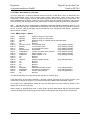
7.3.18. Programming analog cams
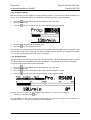
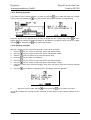
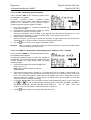
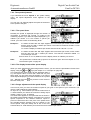
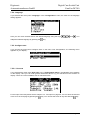
If your CamCon is equipped with analog outputs, and you have activated the option of analog cams
(see chapter "7.4.5.3.2. Configuration of the analog cams" on page 65), the last "normal" output will be
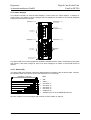
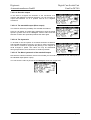
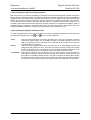
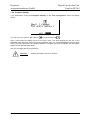
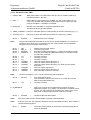
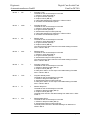
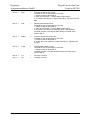
displayed as the first analog output after pressing the
you can choose the next output number by pressing the
+
. If several analog outputs are programmed,
key.
=>
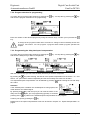
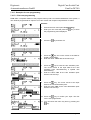
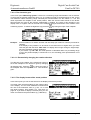
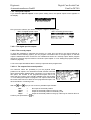
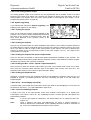
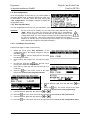
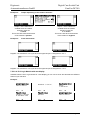
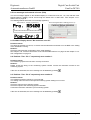
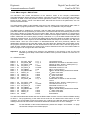
The output numbers of the analog cam outputs are always added to the numbers of "normal" outputs
and this number can be selected directly from the programming menu. If you have configured e.g. 32
cam outputs, the number of the first analog cam starts at the output 33. The output number of the
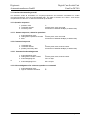
analog cam changes automatically when you change the number of "normal" outputs (see chapter
"7.4.6.2. Setting the outputs" on page 67).
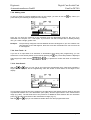
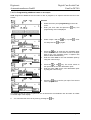
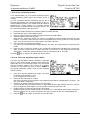
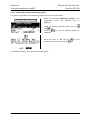
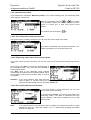
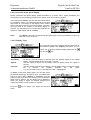
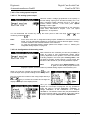
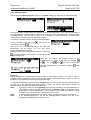
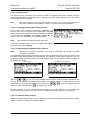
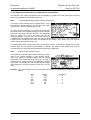
The programming of the analog cam is mostly done as described in the chapters for "normal" cam
programming (see chapter "7.3. Cam programming"). For analog outputs, you do not program a
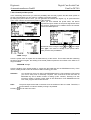
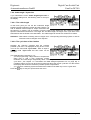
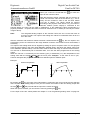
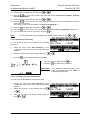
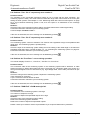
position as a deactivation point, but an analog value. If several such values are programmed at
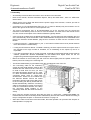
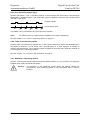
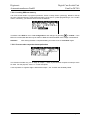
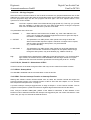
different positions and the measuring system starts to move, CamCon controlls the analog output in
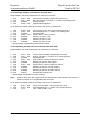
such a fashion, that a curve is done, corresponding with the drawing below.
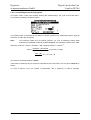
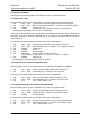
without interpolation
with interpolation
+10V
0°
+10V
90°
-10V
180°
270°
360°
0°
90°
180°
270°
360°
-10V
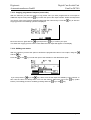
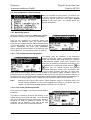
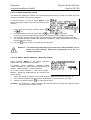
Through interpolation of the definition points, CamCon can adjust the values and present a curve,
corresponding to the above right drawing.
Version: 25.02.2014
Page: 46