1
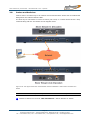
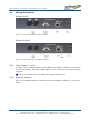
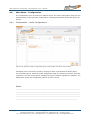
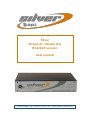
Silver Stream-In / Stream-Out - User Manual SR 1.0.4 – 10/2012 2.3 Getting Connected This chapter outlines how you can quickly connect your Silver Codec and start sending audio. Begin by connecting the power adapter to the unit. Making a connection and send audio: Set up the Silver Stream-In Encoder and the transmitting IP stream apply this configuration to the unit Set up the Silver Stream-Out Decoder and the receiving IP stream Apply this configuration to the unit The audio connections are made on the rear panel using RCA phone jacks or XLR type connectors. Stream-In / RCA Figure 2-1: Silver Stream-In (Encoder RCA version) rear panel view Stream-Out / XLR Figure 2-2: Silver Stream-Out (Decoder XLR version) rear panel view Note: Silver Stream-In/Stream-Out are both available with XLR connectors Page 13 Whiterock Business Park - 729 Springfield Road - Belfast BT12 7FP - Northern Ireland Tel.: +44 28 9067 7200 | Fax: +44 28 9067 7201 | www.aptcodecs.com | [email protected]