1
QuadroE1/T1 Manual-I: Installation Guide
Registering on Epygi's Technical Support
Registering on Epygi’s Technical Support
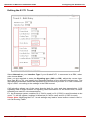
It is recommended that you register your QuadroE1/T1 on the Epygi Technical Support web
page. Registration will give you access to the Technical Support Database. There, you can
send requests concerning technical problems as well as refer to the frequently asked questions. In addition, the technical support page allows users to download new firmware,
manuals and other information. You can only access the support section if you are registered. Additionally, registration at Epygi’s Technical Support web page gives you the username and password to login to the Epygi SIP Server.
To register, you need to know the serial number of your QuadroE1/T1, which you will find on
QuadroE1/T1’s bottom label and its purchase date. Next, open the Epygi home page
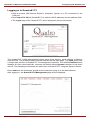
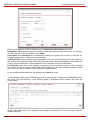
(www.epygi.com), select Support and click on Registration Form. The online registration
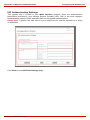
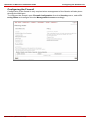
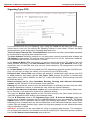
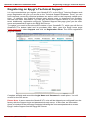
page will appear:
Complete all fields and record the Login Name and Password in a safe place. You will
need it for the SIP server.
Please Note: In some cases the QuadroE1/T1 units will be shipped pre-configured from the
factory with the Support login and password already set-up. In this case, an information
sheet is included in the packaged contents indicating the username/password to access
Epygi’s online Support and the Epygi SIP Server.
QuadroE1/T1; (SW Version 2.4.x)
32