1
About This Publication
About This Publication
How to use this online guide
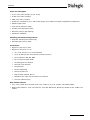
• To view a section, click the corresponding blue underlined phrase in the table below.
• To view a topic that contains further information, click the corresponding blue underlined phrases in this guide.
• You may wish to print out the pages required for installing the drivers.
Structure of this guide
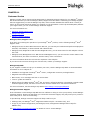
This guide provides a detailed description of how to install and configure the Dialogic® Diva® System Release
Software, and how to troubleshoot your ISDN or channelized T1 connection should that become necessary.
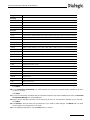
This guide is structured as follows:
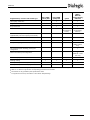
Section
Contents
About the Dialogic® Diva® System
Release 8.5WIN
Diva System Release features, supported hardware, and requirements for software
installation
Software Installation
Installation of the basic drivers, updating drivers or changing configuration using Diva®
Setup
License Activation
Registration of the PPC and DUID on the Dialogic® web site and activation of the license
in the Dialogic® Diva® Configuration Manager
Software Configuration
Start a configuration with installed hardware or performing a manual configuration
Dial-Up Networking and RAS
Administration
RAS client and RAS setup
SNMP Support For A Dialogic® Diva® Installation of the SNMP service and description of supported OIDs
Media Board
Uninstalling
Uninstallation of the Dialogic® Diva® Media Boards in the Device Manager or with
Dialogic® Diva® Uninstall
Management Tools
Tools available for monitoring active connections and getting statistic information on
all connections
Maintenance Tools
Debugging tools available for locating installation errors or connection problems
Features
Overview of the functions provided by the various interfaces
Customer Service
Information on how to get technical support for Dialogic® Diva® products
page 9