1
ASMi-52 Installation and Operation Manual
Appendix C Configuration Menus
Notes
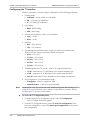
Some of the management menu options depend on the type of the DTE interface
installed in ASMi-52:
• DTS Configuration (Main menu > Configuration > Management) is available
only for the units with E1 or T1 interface.
• LAN Rate (Main menu > Configuration > LAN Configuration) is available for
the units with the user 10/100BaseT port.
• Data Rate (Main menu > Configuration > Physical Port Configuration > DTE
Configuration) is available for the units with a serial DTE interface.
• E1/T1 Configuration (Main menu > Configuration > Physical Port
Configuration > E1/T1 Configuration) is available for the units with an E1/T1
DTE interface.
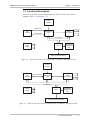
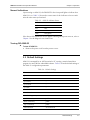
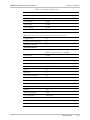
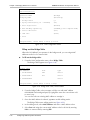
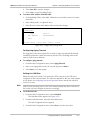
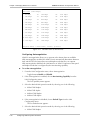
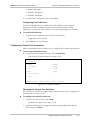
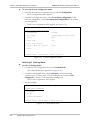
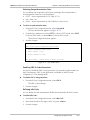
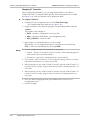
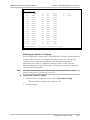
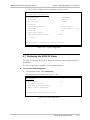
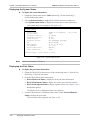
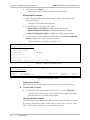
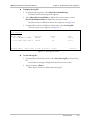
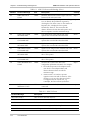
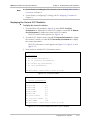
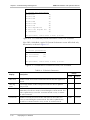
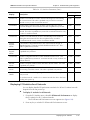
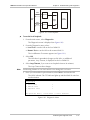
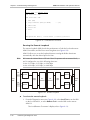
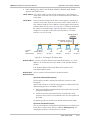
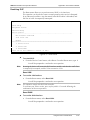
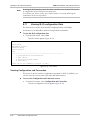
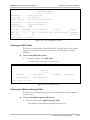
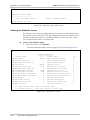
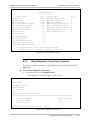
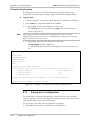
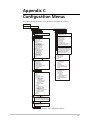
• Figure C-1 illustrates software menus of the unit that operates with SHDSL
repeater in line.
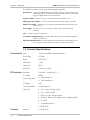
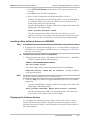
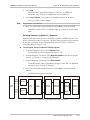
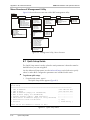
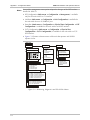
Main menu
3. Monitoring
4. Diagnostics
1. Total alarms
2. System Monitoring
1. Local test
1. LLB
2. RLB
3. Loop timeout
4. LED test
2. Remote test
1. LLB
2. RLB
3. Loop timeout
3. Physical ports monitoring
1. Physical port status
1. Port local status
2. Port local alarms
3. Line mask
4. Port local log file
5. Port clear log file
3. Repeater test
1. RLB network
2. Repeater number
5. File utilities
1. File system
1. SW files
1. Local SW files
2. Remote SW files
2. Swap SW files
1. Swap local SW files
2. SW & file transfer
1. TFTP
1. TFTP IP Server
2. TFTP file name
3. TFTP retry timeout
4. TFTP total timeout
2. XMODEM
2. Physical port statistics
1. SHDSL local port performances
1. SHDSL current performances
2. SHDSL all intervals performances
3. SHDSL current day performances
4. SHDSL all days performances
5. SHDSL clear performances
3. E1 local port performances
1. E1 current performances
2. E1 all intervals performances
3. E1 current day performances
4. E1 clear performances
4. Open Virtual Connection
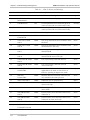
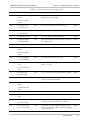
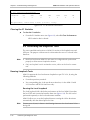
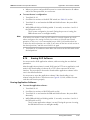
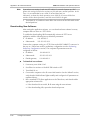
Figure C-2. Monitoring, Diagnostics and File Utilities Menus
C-2