1
ASMi-52 Installation and Operation Manual
Chapter 4 Managing ASMi-52 via a Terminal
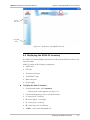
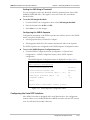
Configuring Low Speed Operation
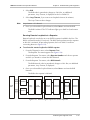
ASMi-52 can be configured to work at 64/128 kbps (2-wire) and
64/128/192/256 kbps (4-wire) when operating opposite devices with E1 DTE
interface. The maximum data rate of ASMi-52 working in the low speed mode is
2048 kbps.
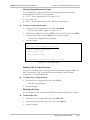
To enable the low speed operation:
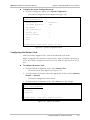
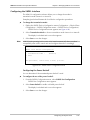
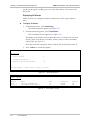
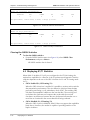
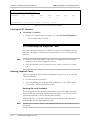
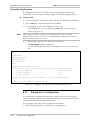
1. From the System Configuration, select Low Speed Operation.
The option value changes to Yes or No.
2. From the System Configuration, select Save to save the change
3. Reset the ASMi-52.
On start up the unit will operate in low speed mode.
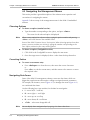
Configuring Management Parameters
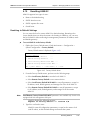
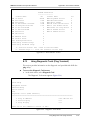
You must define the ASMi-52 internal SNMP agent parameters in order to enable
SNMP and Telnet management (see Figure 4-11). Also you can enter additional
information about your ASMi-52, such as contact person, unit location etc.
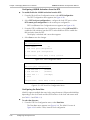
To access the Management menu:
•
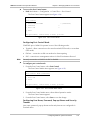
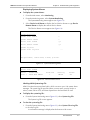
From the System Configuration menu, select Management.
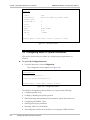
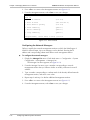
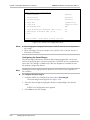
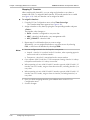
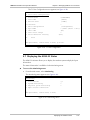
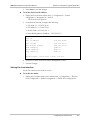
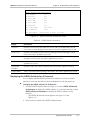
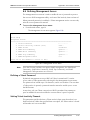
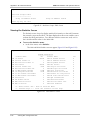
The Management menu appears (Figure 4-11).
ASMi-52
Management
1. Device Info
>
2. Host IP
>
3. Manager List
>
4. Management access
>
5. DTS Configuration
>
6. MTU (64 - 1540)
...(1540)
7. Save
>
ESC-prev.menu; !-main menu; &-exit; @-scroll
Figure 4-11. Management Menu
Note
DTS Configuration is available only for the units with the E1/T1 DTE interfaces.
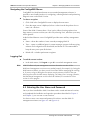
Entering Device Information
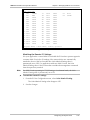
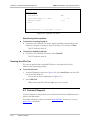
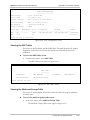
The Device Information menu allows you to assign a name to ASMi-52, define its
location and contact person. These entries may include up to 20 characters.
To enter device information:
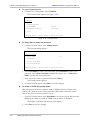
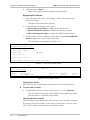
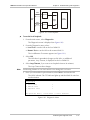
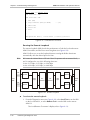
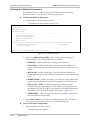
1. From the Management menu, select Device Info.
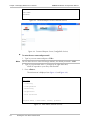
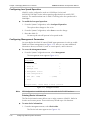
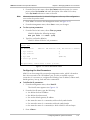
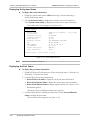
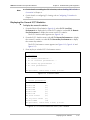
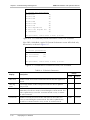
The Device Info menu appears (see Figure 4-12).
4-10
Configuring ASMi-52 System Parameters