1
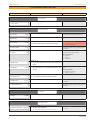
Table of contents
www.schaerer.com
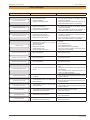
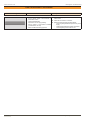
Table of contents
Signs & Symbols...................................................................... 4
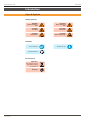
Safety symbols...................................................................................4
Remarks.............................................................................................4
Environment.......................................................................................4
4.5. Calibrate grinders......................................................................33
4.6. Grinding time adjustment..........................................................33
4.7. Grinder empty message............................................................34
4.8. Milk empty message.................................................................34
4.9. Functional test...........................................................................34
4.10. Continuous test ......................................................................34
4.11. Drain system ..........................................................................35
About the software....................................................7
5. Chip card service.................................................36
Introduction................................................................4
Initial use................................................................................... 8
5.1. Erase card.................................................................................36
5.2. Change PIN code......................................................................36
5.3. Simulate chip card.....................................................................36
5.4. Load counter from SAVE DATA ................................................36
5.5. Load data from SAVE DATA......................................................37
5.6. Save language on chip card......................................................37
5.7. Configure CHEF card................................................................37
Setup conditions...................................................................... 8
5.3.1 Simulate CHEF card...................................................... 38
Setting example for parameters.............................................. 7
Installation & Commissioning..................................8
Location.............................................................................................8
Climate...............................................................................................8
Installation conditions............................................................. 8
Power supply.....................................................................................9
Water connection / draining..............................................................10
Technical data........................................................................ 10
Initial start-up software........................................... 11
Software dialogue...................................................................11
Calibrate Touchscreen..................................................................... 11
Set language.................................................................................... 11
Select operating mode.....................................................................12
Select machine type.........................................................................12
Machine information.........................................................................12
Configure grinders...........................................................................13
Machine fill-up..................................................................................13
Machine ready for operation............................................................13
Programming: SERVICE card.................................14
Navigation in the programming level................................... 14
Enter the programming level................................................. 14
1. Free vend.....................................................................................38
2. View counters...............................................................................38
3. Configure products.......................................................................38
4. Configure coffee blends...............................................................39
5. Configure display.........................................................................39
6. Time / Date...................................................................................39
7. Automatic timer............................................................................39
8. Language.....................................................................................40
9. Switch off machine.......................................................................40
10. Enable milk system....................................................................40
5.3.2 Simulate PROGRAM card............................................. 41
1. Enter product prices.....................................................................41
2. Load MONEY card.......................................................................41
3. Erase MONEY card......................................................................41
4. Display sales................................................................................41
5. Change PIN code ........................................................................41
6. Payment system settings.............................................................42
5.3.3 Simulate ROASTER card.............................................. 43
1. View counters...............................................................................43
2. Configure products.......................................................................43
3. Language.....................................................................................43
4. Set temperatures..........................................................................43
6. Configure interface..............................................44
6. Configure interface.......................................................................44
Overview programming SERVICE card................................ 14
1. General parameters.............................................15
7. Payment system settings....................................45
7.1. Set payment system..................................................................45
7.2. MONEY-card initialisation.........................................................45
7.3. Enter product prices..................................................................46
7.4. Display sales.............................................................................46
7.5. Log on MASTER card...............................................................46
7.6. Delete table (MASTER).............................................................46
7.7. Diagnosis..................................................................................46
1.1. Temperature settings.................................................................15
1.2. Machine configuration...............................................................15
1.3. Calibrate grinders . ...................................................................17
1.4. Milk parameter..........................................................................18
1.5. Cleaning parameters.................................................................20
1.6. Machine information..................................................................21
1.7. Time / Date ...............................................................................21
1.8. Automatic timer.........................................................................22
1.9. Alarm functions . .......................................................................22
8. Load factory settings..........................................48
2. Configure display................................................23
9. View counters......................................................49
2.1. Button configuration .................................................................23
2.2. Set contrast ..............................................................................23
2.3. Calibrate touchscreen ..............................................................23
2.4. Display options..........................................................................24
3. Configure products.............................................25
3.1. Define new product...................................................................25
3.2. Delete product . ........................................................................28
3.3. Set product parameters . ..........................................................28
3.4. Enter product prices..................................................................29
3.5. Assign buttons...........................................................................30
3.6. Assign external buttons.............................................................31
4. System test / calibration.....................................32
4.1. Input / output test . ....................................................................32
4.2. Diagnosis screen.......................................................................32
4.3. Set pump pressure....................................................................32
4.4. Move brew piston......................................................................33
Programming manual / V01 / 02.2010
9.1. Daily counter.............................................................................49
9.2. Monthly counter.........................................................................49
9.3. Machine counter total................................................................49
9.4. Service counter.........................................................................50
9.5. Cleaning statistics.....................................................................50
9.6. Error statistics...........................................................................50
10. Software upgrade..............................................51
10. Software upgrade.......................................................................51
Special functions.....................................................52
Clear Flag (abort running cleaning cycle)............................ 52
Chip cards................................................................53
SAVE DATA card..................................................................... 53
Functional description......................................................................53
5 / 62