1
VII
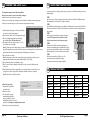
PHOTO QUALITY
HIGH(4mP)
Setting Photo Quality
Press the OK button. Use the Up/Down buttons to choose between 4 image quality settings.
1. Enhanced:
3048 x 2286
2. High:
2304 x 1728
3. Medium:
1600 x 1200
4. Low:
640 x 480
Press the OK button. Press the Right button.
VIDEO LENGTH
10 SECONDS
Video Length
Press the OK button. Use the Up/Down buttons to choose between 5 video length settings
(5, 10, 30, 60 or 90 seconds).
VIEWING YOUR IMAGES
There are a number of ways for you download and view
the pictures, videos in the field or at another location.
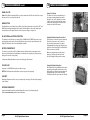
Removing the SD Card
To remove the SD Memory Card, open the camera cover
and push gently on the SD card and it will pop out slightly
allowing you to remove it. Load the SD card into the
player or card reader to view or move stored images to
another location.
Important
Make sure that the camera is in the OFF position before
removing SD card.
ln the Field
You can download the pictures, videos, and time lapse
pictures with the aid of external devices. To download,
use an external player or card reader that is
supported by 12V DC or Mini USB Jack.
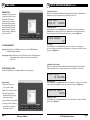
MULTI-SHOTS
OFF
Setting Multiple-Shots
Press the OK button. Use the Up/Down buttons to choose between settings. Choose how many
pictures you would like captured in a sequence when the camera is triggered (1, 2 or 3). Press the
OK button. Press the Right button.
Camera Capture Modes
After programming and aiming the camera, according to your preferences. You will see one
of three status screen displays after you slide the lR Aim / Power Switch to the ON position.
After 15 seconds the camera will enter sleep mode and wake up when motion is detected.
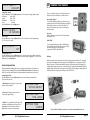
At Home
Remove the entire camera and transport to another location to download images. To connect the
camera to a PC computer, turn the camera ON, press the MENU button once to change to SETUP
Mode. Connect the USB cord (not included) between the USB out port and the PC computer. The
computer will recognize the camera as a removable drive. The unit works with Windows XP/Vista/7.
Copy the images and videos from the camera onto your PC for further editing or printing. When the
USB cable is disconnected, the camera will go back to SETUP mode.
Setting Capture Mode
Press the OK button. Use the Up/Down buttons to choose between operating modes.
This camera has 3 modes.
1. Motion Detect - Capture photo or video when
motion or heat is detected.
2. Time Lapse - Capture photo based on the
Time Lapse program setting.
3. Hybrid - Uses a combination of Time Lapse and
Auto modes at different times of the day. Press
the OK button to lock in selection. Press the
(Right) button to move to the next setting.
Page 6
CAPTURE MODE
motion DETECT
CAPTURE MODE
TIME LAPSE
CAPTURE MODE
HYBRID
D-333 Digital Game Camera
See the full line of Moultrie camera accessories at www.moultriefeeders.com
D-333 Digital Game Camera
Page 11