1
QuickMedia™ Matrix Switcher/Mixer
Crestron QM-MD5x1
Problem Solving
Troubleshooting
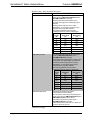
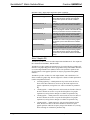
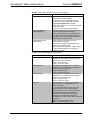
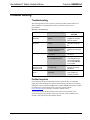
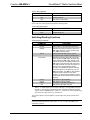
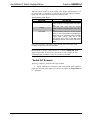
The following table provides corrective action for possible trouble situations. If
further assistance is required, please contact a Crestron customer service
representative.
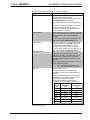
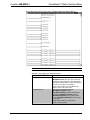
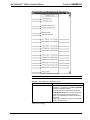
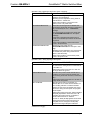
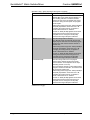
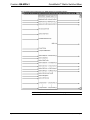
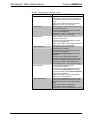
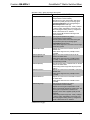
QM-MD5x1 Troubleshooting
TROUBLE
POSSIBLE CAUSE(S)
CORRECTIVE
ACTION
PWR LED does not
illuminate.
MD5x1 is not receiving
power.
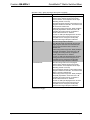
Verify that cables
plugged into the NET
ports are secure.
NET LED does not
illuminate.
MD5x1 Net ID is not
correct.
In Viewport, poll the
network to verify Net
ID.
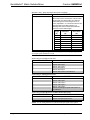
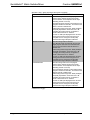
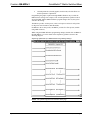
MD5x1 Net ID is not set to
match the Net ID specified
in SIMPL Windows.
Verify SIMPL Windows
program for setting Net
ID.
Cables improperly
connected.
Verify that all cables
are secure.
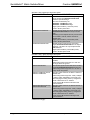
Incorrect skew settings in
the QM-RMCRX device.
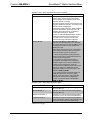
Use Digital Media
Tools software to set
correct skew settings
for each QM-RMCRX
in the system.
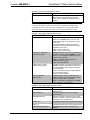
Remote microphone
produces harsh,
distorted sound.
Input gain at remote device
is set too high.
Lower microphone
input gain at remote
QM device.
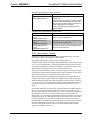
“Hum” in microphone
audio.
QM device is improperly
grounded.
Ensure that all devices
in the system are
properly grounded.
Poor picture quality.
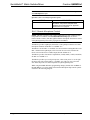
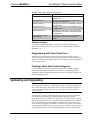
Further Inquiries
If you cannot locate specific information or have questions after reviewing this
guide, please take advantage of Crestron's award winning customer service team by
calling the Crestron corporate headquarters at 1-888-CRESTRON [1-888-273-7876].
For assistance in your local time zone, refer to the Crestron website
(www.crestron.com) for a listing of Crestron worldwide offices.
You can also log onto the online help section of the Crestron website to ask
questions about Crestron products. First-time users will need to establish a user
account to fully benefit from all available features.
62 • QuickMedia™ Matrix Switcher/Mixer: QM-MD5x1
Operations Guide - DOC. 6300