1
3.4.2 “Get Configuration” Command Button .....................................................................25
3.4.3 “Send Configuration” Command Button ...................................................................25
3.5 Programming and Editing Logical Zone Groups and the Background
Music Zone................................................................................................................25
3.5.1 Programmed Logical Zone Groups and the Background Music Zone
Using the Wizard Feature......................................................................................25
3.5.2 Manually Programmed/Editing Logical Zone Groups ................................................29
3.5.3 Warning Message for Duplicate Zones....................................................................31
3.6 SP4 Telzone Programmer 2 Background Music Setup ...................................................32
3.6.1 Editing Background Music.....................................................................................32
3.7 Zone Paging Setup (Enable/Disable) ............................................................................33
3.8 Editing Silence Detection Timeout................................................................................34
3.9 Editing Maximum Paging Duration ...............................................................................36
3.10 Uninstalling the SP4 Telzone Programmer 2 Software.................................................37
Chapter 4 Paging Operation ..........................................................................38
4.1 Making A Zone Page ..................................................................................................38
4.2 Making An All-Call Page…………………………………………………………………………38
Chapter 5 Troubleshooting ............................................................................40
5.1 System Reset Switch.................................................................................................40
5.1.1 Resetting the Network Configuration (Not SP4 Telzone Programmer
2 Programmed) ....................................................................................................40
5.1.2 Resetting the Network Configuration (SP4 Telzone
Programmer 2 Programmed)..................................................................................41
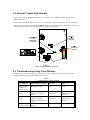
5.2 General Trouble Adjustments.......................................................................................43
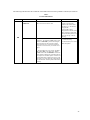
5.3 Troubleshooting Using Tone Patterns ...........................................................................43
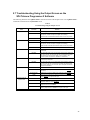
5.4 Troubleshooting Using the Trouble LED indicators on the PC Board ................................44
5.5 Troubleshooting Using the “Get Configuration” Command Button.....................................46
5.6 “Send Configuration” Error Messages ...........................................................................47
5.6.1 “Audio Class of Wiring Mismatch” ..........................................................................47
5.6.2 “Splitters Mismatch” .............................................................................................47
5.6.3 “Audio Class of Wiring and Number of Splitter Mismatch”.........................................47
5.7 Troubleshooting Using the Output Screen on the SP4 Telzone
Programmer 2 Software...............................................................................................48
Chapter 6 Warranty...............................................................................................50
Appendix A Telephone Page Zone Control Mapping ......................................................................A
Appendix B Wiring the SP4-TZC to the SP40 with One SP4-APS Splitter Module ...........................B
Appendix C SP4-TZC to SP40 and Audio Booster ........................................................................C
Appendix D SP4-TZC to SP40 and Multiple Audio Boosters ..........................................................D
Appendix E SP4-TZC-P Product Description and Application .………………………………………...E
4