1
SightLine Applications Command and Control
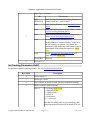
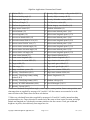
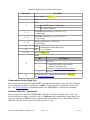
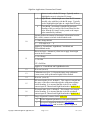
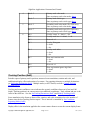
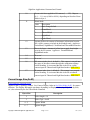
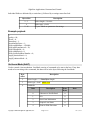
exceeds this value for BgWarpFrames frames. 0 to 180, default 1
BgWarpFrames
u8
Warp the background model if the above conditions are met for this
number of consecutive frames. 0 to 255, default 2. Allows for
ignoring a small number of bad frames or temporary large motion,
but warps when there is a significant amount of motion.
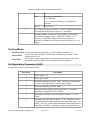
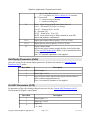
MaxTrackFrames
u16 Number of frames to keep tracking once target has disappeared. 0
to 65535. 0 = automatic.
DisplayIndices
u8
1 = show indicies with targets, 0 = don't. TODO, use
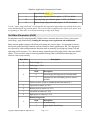
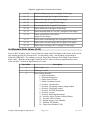
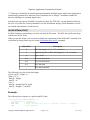
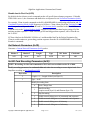
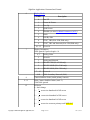
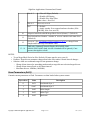
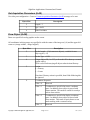
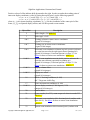
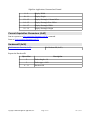
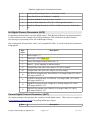
Set Blend Parameters (0x2F)
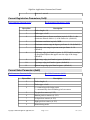
Requires Set Video Mode (0x1F) be used to set Display Modes to Blend. See also Current Blend
Parameters (0x4D).
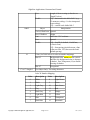
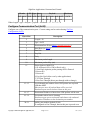
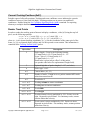
NEW 2.20 – Blend an EO (visible) and an IR camera. The EO camera can now be an HD digital
camera. The EO camera will always be the camera that “warps” into the space of the IR camera to
produce the output image.
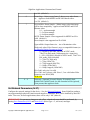
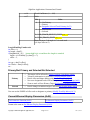
When both cameras are standard definition with similar fields of view, set Absolute Zoom Mode off to
scale the EO camera to match the IR. When the EO camera is HD, Absolute Zoom Mode can be turned
on to achieve a more significant zoom factors. For example, if a 1280x720 HD camera is to be blended
with a 640x480 camera where the horizontal fields of view match, pass zoom=128 and zoom absolute
= 1 to get a zoom factor of 0.5 which will scale the HD image to 640x360 before blending.
Copyright © 2014-2015 SightLine Applications, Inc.
Page 51 of 95
Jan 15, 2015