1
Gigaset S45 / SWZ PTT-en / Internet / S45_IVZ.fm / 02.06.2006
Contents
Contents
Appendix . . . . . . . . . . . . . . . . . . . 17
Handset at a glance . . . . . . . . . . . 1
Safety precautions . . . . . . . . . . . . 3
Aton CL300 – a handset
with many extras 4
First Steps 4
Pack contents . . . . . . . . . . . . . . . . . . . . 4
Setting up the handset for use . . . . . . . 4
Making calls . . . . . . . . . . . . . . . . . 7
Making an external call . . . . . . . . . . . .
Ending a call . . . . . . . . . . . . . . . . . . . . .
Answering a call . . . . . . . . . . . . . . . . . .
Handsfree operation . . . . . . . . . . . . . .
Muting . . . . . . . . . . . . . . . . . . . . . . . . .
Making internal calls . . . . . . . . . . . . . .
7
7
7
7
8
8
Operating the handset . . . . . . . . . 8
Switching the handset on/off . . . . . . . 8
Control key . . . . . . . . . . . . . . . . . . . . . . 8
Display keys . . . . . . . . . . . . . . . . . . . . . 9
Returning to idle status . . . . . . . . . . . . 9
Menu guidance . . . . . . . . . . . . . . . . . . 9
"Swisscom Voice Portal" key . . . . . . . . . 9
Correcting incorrect entries . . . . . . . . 10
Using the directory and lists . . . 10
Directory . . . . . . . . . . . . . . . . . . . . . . . 10
Last number redial list . . . . . . . . . . . . 12
Opening lists with the message key . 12
Using a handset as a room
monitor . . . . . . . . . . . . . . . . . . . . 12
Activating the room monitor and
entering the number to be called . . . 13
Handset settings . . . . . . . . . . . . . 14
Changing the display language . . . . .
Setting the display . . . . . . . . . . . . . . .
Setting the screen picture . . . . . . . . .
Setting display illumination . . . . . . . .
Activating/deactivating auto answer .
Adjusting the loudspeaker volume . .
Changing ringtones . . . . . . . . . . . . . .
Activating/deactivating advisory tones
Setting the alarm clock . . . . . . . . . . .
Restoring the handset default settings
2
14
14
14
14
15
15
15
16
16
17
Care . . . . . . . . . . . . . . . . . . . . . . . . . . .
Contact with liquid . . . . . . . . . . . . . . .
Faults and Self-help with
Troubleshooting . . . . . . . . . . . . . . . . .
Warranty/Maintenance/Repair/
Authorisation . . . . . . . . . . . . . . . . . . .
Repair/Maintenance . . . . . . . . . . . . . .
Specifications . . . . . . . . . . . . . . . . . . .
17
17
17
18
18
19
Notes on the operating
instructions . . . . . . . . . . . . . . . . . 20
Symbols used . . . . . . . . . . . . . . . . . . .
Example: menu input . . . . . . . . . . . . .
Example: multiple line input . . . . . . . .
Writing and editing a text message . .
20
20
21
21
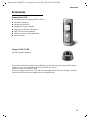
Accessories . . . . . . . . . . . . . . . . . 23
Index . . . . . . . . . . . . . . . . . . . . . . 24