1
Gigaset S45 / SWZ PTT-en / Internet / start_guide_time.fm / 02.06.2006
First Steps
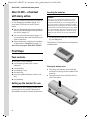
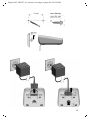
Attaching the belt clip
Automatic registration Aton CL300
There are notches for attaching the belt
clip on the side of the handset at the same
height as the display.
¤ Press the belt clip onto the back of the
handset so that the lugs on the belt clip
click into the notches.
Important: The handset must not already
be registered to any base station.
Registering the handset to the Aton CL300
base station occurs automatically.
¤ Place the handset in the base with its
display facing forward.
Registration can take up to 5 minutes.
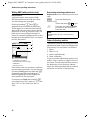
During this process, Regstr.Procedure
appears in the display and the name of the
base station flashes e.g. Base 1. When the
handset has registered, its screen displays
its internal number, e.g. INT 2 for internal
number 2. The handset is assigned the
lowest available internal number (1-6). If
all internal numbers 1-6 have been
assigned, number 6 is overwritten, provided the handset with the internal
number 6 is in idle status.
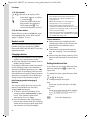
Opening the battery cover
¤ If fitted, remove the belt clip.
¤ Insert a fingernail into the headset
socket cavity and pull the battery cover
upwards.
Notes:
– Automatic registration is not possible when
the base station on which you wish to register the handset is being used to make a
call.
– Each key press interrupts the automatic
registration.
– If automatic registration does not work,
you will have to register the handset manually.
Manual registration Aton CL300
Registering your phone
Before you can use your Aton CL300 you
must register it to a base station. It can be
registered to a maximum of four base stations. The actual registration procedure
will depend on the type of base station.
If the handset does not switch on automatically when the batteries are fitted,
you must first charge the batteries.
You must activate manual registration of
the handset at both the handset and the
base station.
After it has registered, the handset returns
to idle status. The handset's internal
number is shown in the display e.g. INT 1.
If not, repeat the procedure.
5