1
Using Terminal Services for remote administration_____________
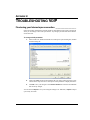
In Remote Administration mode, you can use a remote PC to access a server over the network
just as if you were sitting at the server console. Remote Administration can be used to perform
upgrade and maintenance tasks remotely.
When you start a session, your remote terminal may not be aware of applications that are already
running on the server and will not display them on the console or in the task manager. This does
not apply to all applications. For example, neither TeleVantage ViewPoint nor the
Administrator would be visible, but the TeleVantage Device Monitor would be visible in the
system tray. Before attempting to upgrade an application, you should restart the server to make
sure the application is no longer running.
See page Appendix D in Installing Dialogic Telephony Components for instructions on how to
set up and run the Dialogic Configuration Manager (DCM) remotely using Microsoft Terminal
Services.
APPENDIX A. USING TELEVANTAGE WITH MICROSOFT TERMINAL SERVICES OR CITRIX METAFRAME