1
%
82%
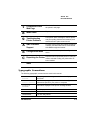
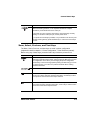
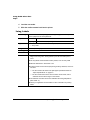
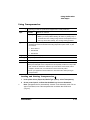
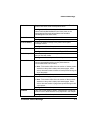
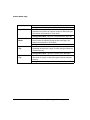
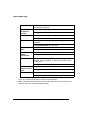
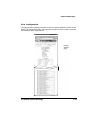
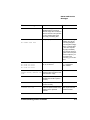
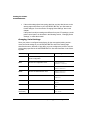
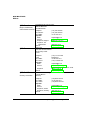
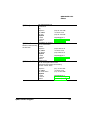
Default Chaining
Identifies whether tray chaining is Off or On. Tray chaining
allows the printer to draw media from another input source with
either the same or any size of media (dependent on the choice
selected) automatically when the first input source empties.
Configuration Menu: Operator Control/Chain Inputbins
Default Paper
Tray
Tells you which input source is the default.
Number of Paper
Trays
Tells you the number of input sources available on your printer.
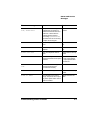
Page Stack Order
Tells you what order (e.g., face down) the page stack will be in.
Configuration Menu: Operator Control/Inputbin
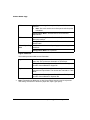
Configuration Menu: No equivalent.
Configuration Menu: No equivalent
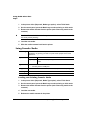
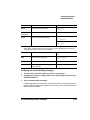
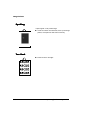
Left Margin
Identifies the amount (in .01" increments) the image is adjusted
horizontally on the page.
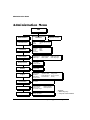
Configuration Menu: Administration/Engine/Image Alignment/
Horiz Offset
Top Margin
Identifies the amount (in .01" increments) the image is adjusted
vertically on the page.
Configuration Menu: Administration/Engine/Image Alignment/
Vertical Offset
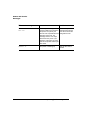
Resolution
Identifies the printer resolution.
Configuration Menu: Administration/Engine/Def. Resolution
.
51#0((6
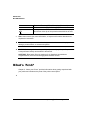
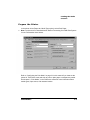
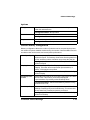
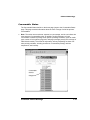
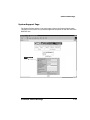
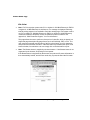
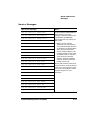
This hotlink displays a screen that shows the communications settings of the printer.
Serial IF
Identifies the settings for the serial interface.
Configuration Menu: Administration/Communications/Serial
Parallel IF
Identifies the settings for the parallel interface.
Configuration Menu: Administration/Communications/Parallel
(
"C"%
-&%