1
9210IG.book Page 27 Monday, April 2, 2001 11:13 AM
Adaptec Fibre Card 9210LP
STEP 4
If you have additional HBA disks, insert the next HBA disk, select
Install Another HBA Disk, and press Enter.
If all of your HBA disks have been installed, remove the last HBA
disk, select Continue Installation, and press Enter.
STEP 5
STEP 6
STEP 7
If necessary, enter the Device Configuration Utility (DCU) to
view/change the UnixWare device configuration data.
Follow the on-screen instructions to continue with installation.
Refer to the UnixWare documentation and on-screen help files
for help in selecting options.
If your installation fails, go to the h screen to check for any error
messages printed.
Type Alt PrintScreen at the same time then type h.
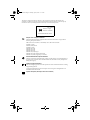
You should see something similar to the following if the Adaptec
Fibre Channel driver has been loaded.
0:0, 0, 0: HBA
0, 2, 0: DISK
0, 3, 0: DISK
: (afc9xxx, 1) Adaptec AFC9xxx
: SEAGATE ST318304FC 0001
: IBM DDYS-T18350
0002
Read printed messages if any. If your installation has failed, these
messages will help you to determine why it failed. Follow the
instructions in the UnixWare documentation and in this
Installation Guide to retry the installation.
Installing the Driver When UnixWare is Already
Installed
To update or install the Adaptec Fibre Channel driver on a system
where UnixWare is already installed, follow the instructions in
this section.
CAUTION Improper or corrupt driver updates might destroy
your existing UnixWare file system. Back up all important
files before proceeding. Consult your UnixWare
documentation for proper backup procedures.
27