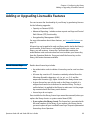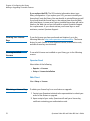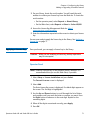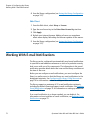
1
Chapter 2: Unpacking the Library
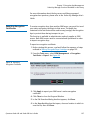
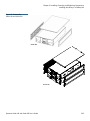
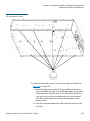
WARNING: Two people are required to safely lift the library out of
its packaging or into a rack.
Caution: Lift the library chassis at the sides. Avoid putting the
weight of the library chassis on the front bezel.
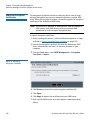
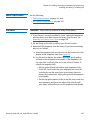
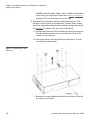
6 Remove the anti-static wrapping from the library. Keep the antistatic wrapping intact so that you can use it later if needed.
7 Save the packing box, packaging material, and anti-static wrapping
in case you need to move or ship the library in the future.
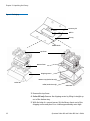
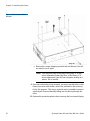
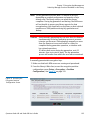
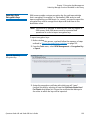
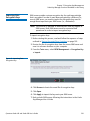
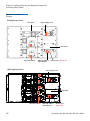
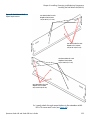
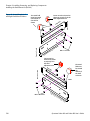
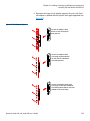
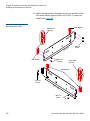
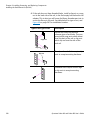
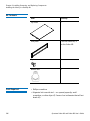
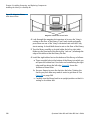
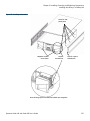
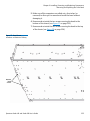
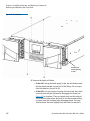
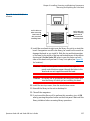
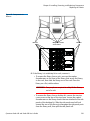
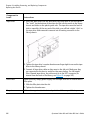
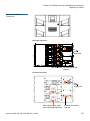
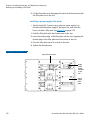
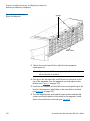
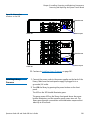
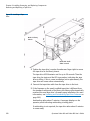
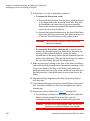
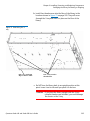
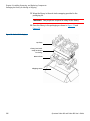
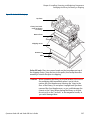
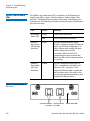
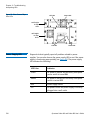
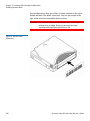
8 Remove the Y-tray restraint. The Y-tray restraint consists of four (4)
thumbscrews, a plastic sheet, a small metal clip, and underneath
the plastic sheet, an orange restraint tab—located on the top cover
of the library. See Figure 7.
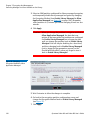
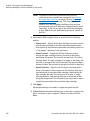
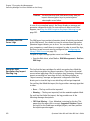
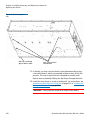
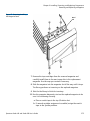
a Unscrew and remove the four thumbscrews from the top cover
(see Figure 7). Save the thumbscrews in case you need to move
or ship the library in the future.
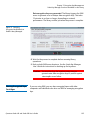
b Remove the plastic sheet and metal clip and discard. You will
not need to use them again.
Quantum Scalar i40 and Scalar i80 User’s Guide
19