1
Performance Checks
Performance Test Software
8712ET/ES and 8714ET/ES
RF Network Analyzers
PRINT RESULTS allows you to print or view test results from the current DUT or any
previously tested analyzer, assuming the data was archived. You can also add comments or
correct any header information that was previously entered.
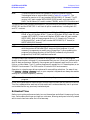
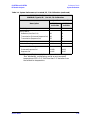
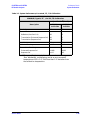
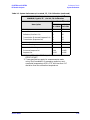
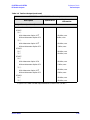
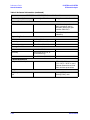
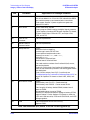
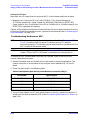
Printed test results have a “pass/fail” column for indicating the outcome of each part of
each test. The possible outcomes are
PASS
Applies to a warranted specification. The test has passed.
FAIL
Applies to a warranted specification. The test has failed.
Not Tested Indicates the test was performed, but the result was not checked. This is
usually due to limited capability of the test equipment.
No Spec
Applies to a nonwarranted characteristic or typical parameter. The test
result is satisfactory (within the indicated limits).
No Spec*
Applies to a nonwarranted characteristic or typical parameter. The test
result is marginal (outside the indicated limits). If the result is
substantially outside the limit, there may be cause for concern about the
proper operation of the analyzer.
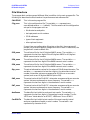
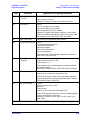
NEW DUT will appear only after an analyzer has been tested. This softkey must be
selected before you begin to test another analyzer.
NOTE
This is the only way that the program can tell that the analyzer under test
has changed. Once selected, this softkey selection will disappear, indicating
that the program is ready to search for a new analyzer model/serial number.
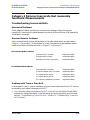
will display the current expected addresses of all required test equipment.
In addition it will allow you to check each listed address for the presence of an active
device. It will not indicate which device is set to which address. It only indicates whether
or not the device at a given address is capable of handshaking properly. EXIT returns to
the previous menu.
GPIB Addr’s
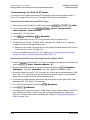
RESUME will continue the program and look for an analyzer at the specified address.
Make sure that the power is switched on and that the GPIB cable is connected before
pressing RESUME .
Once the program finds the analyzer, the serial number is interrogated and the disk is
searched for any previous test results. If none are found, a message is displayed and you
are then allowed to enter any pertinent data regarding this new DUT such as owner,
technician, repair order, comments etc. The test selection menu is then presented.
1-20
Service Guide