1
Section 8: MIDI Remote Control
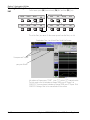
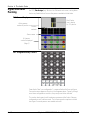
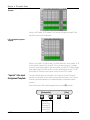
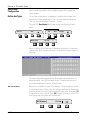
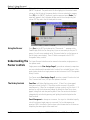
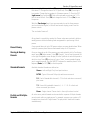
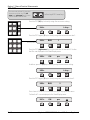
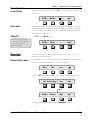
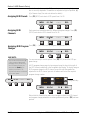
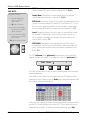
MIDI Chan: Designates what MIDI channel is to be used for the communication between the console and the external device. (Na/Nc)
SIDE NOTE:
Adjustment methods:
S= SpinKnob & [+]/[-] keys
move cursor vertically
within column.
F= [F4] toggles field value.
Na= (Arrow)* SpinKnob, [+]/[-]
keys & Numeric keypad set
numeric field value.
Nc= (Colon)* SpinKnob & [+]/[-]
keys move cursor vertically
within column.
Control Num: Designates the control number which the selected
console object will send out (or respond to). (Na/Nc)
MIDI Mode: In the case of the MIDI Out screen, designates whether the
console is currently sending MIDI data (OUT) or not active (OFF). For the
MIDI In screen, designates whether the console object is paying attention to incoming MIDI data (IN) or ignoring incoming data (OFF). (S/F)
Invert: Designates whether the control action is reversed from normal.
For example, if a fader object is being used to control the level on a
synth, setting this parameter will decrease the synth’s level as the
console fader is raised. (S/F)
* [F2] toggles between Na & Nc.
+
Bus
DIR
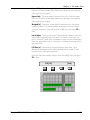
MIDI Width: Designates the resolution with which MIDI control is
accomplished. The choices are 7bit (128 steps - default) and 14bit (256
steps). Doubling the resolution halves the number of available Control
Nums. (S/F)
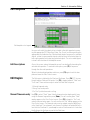
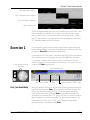
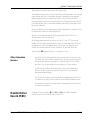
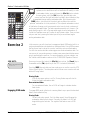
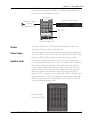
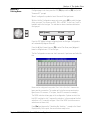
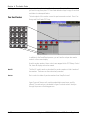
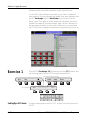
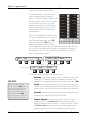
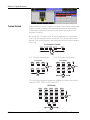
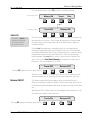
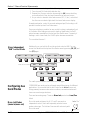
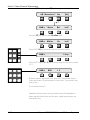
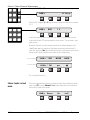
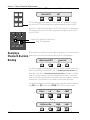
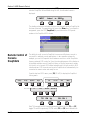
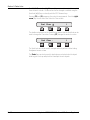
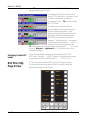
The DSC [left arrow] and [right arrow] keys move the cursor horizontally
between columns at any time. To illustrate this, press the [right arrow] key:
Cnsl Chan
F1
F2
1
F3
F4
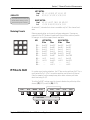
It is left as an exercise to the user to explore selecting other fields and adjusting those parameters.
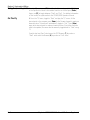
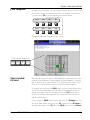
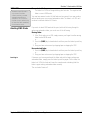
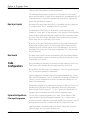
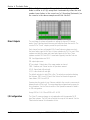
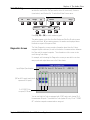
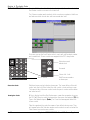
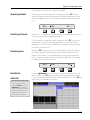
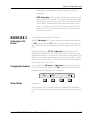
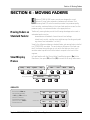
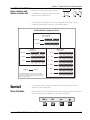
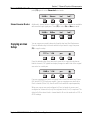
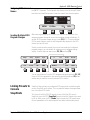
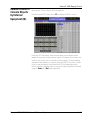
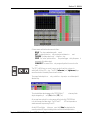
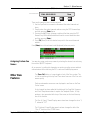
If you need to control more than one external piece of MIDI gear using the
same type of console object, press the [Enter] key to duplicate templates from
the currently selected console object:
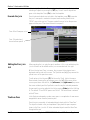
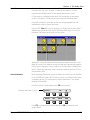
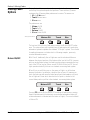
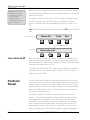
In this case, the Lower Group Master has been duplicated three times. Notice
that the MIDI Mode field defaults to active (OUT). These copies can then be
independently configured. To delete any selected duplicates, press [Del].
8 - 64
Euphonix CS3000/2000 MixView 3.0 Software Supplement