1
1-3
:
REVISION HISTORY
Release
2.0
Date
Documentation Changes
07-08 A "911 Feature" is added.
1-5
A "Reply to Message" feature is added.
2-63
A "Message Forward Enhancement" feature is
added.
2-63
A "Park and Page" feature is added.
2-53
A "Mailbox Buttons" feature is added.
2-64
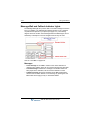
A new section is added to clarify "Message Wait
Indicator Lamps".
2-10
Entire book has been re-organized and re-formatted.
1.0
Page No.
01-08 Initial Release
all
--
NOTE: that this document contains information on
ISDN, DCOB, and SMS. These features are currently not supported.
Information pertaining to DID pertains only to SIP
Trunking.
SBX IP 320 Phone User Guide